I have edited more than 4,000 podcast episodes for other people, and that job teaches you one thing fast: the microphone is rarely the problem. The problem is the room, the distance to the capsule, and whether the person recording is comfortable enough to keep hitting record. So when readers ask me to compare microphones for creators, I do not start with a frequency response chart. I start with the two questions that actually decide the purchase. What room are you recording in, and how many people are on camera at once?
Related: USB vs XLR Microphones for Podcasting
The short answer: for one person at a desk, a USB microphone is the right first purchase. For two people on camera, a wireless system saves you more time than any audio upgrade. A studio condenser belongs in a treated room, and if you do not have one, spending more money on the microphone will not fix that.
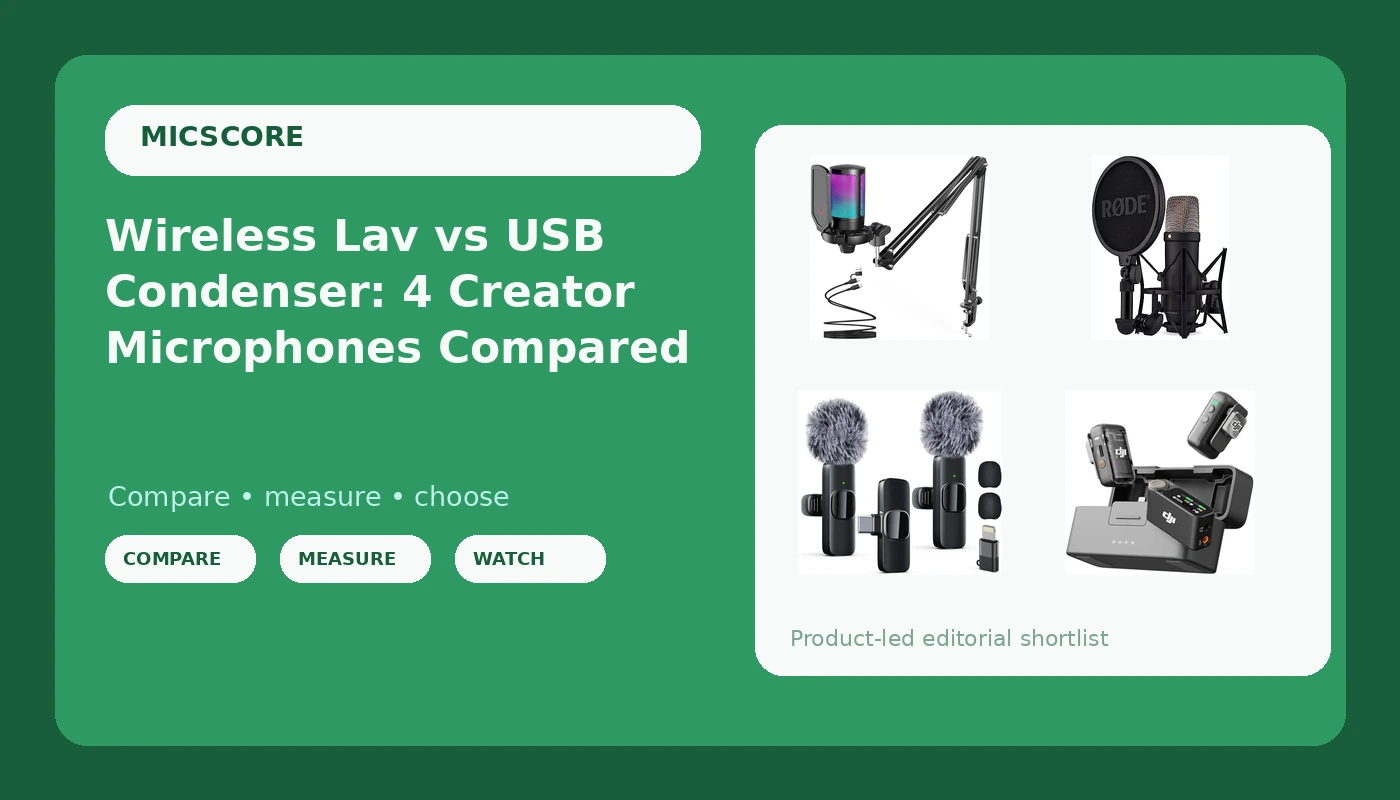
That is the honest version, and it is the one I give clients before they buy anything. The long version is that these four products keep landing on the same shopping list even though they solve completely different problems. One is a phone-first lavalier. One is a USB streaming kit. One is a studio condenser that speaks both USB-C and XLR. One is a two-person wireless system in a charging case. Here is where each of them wins and where each of them does not.
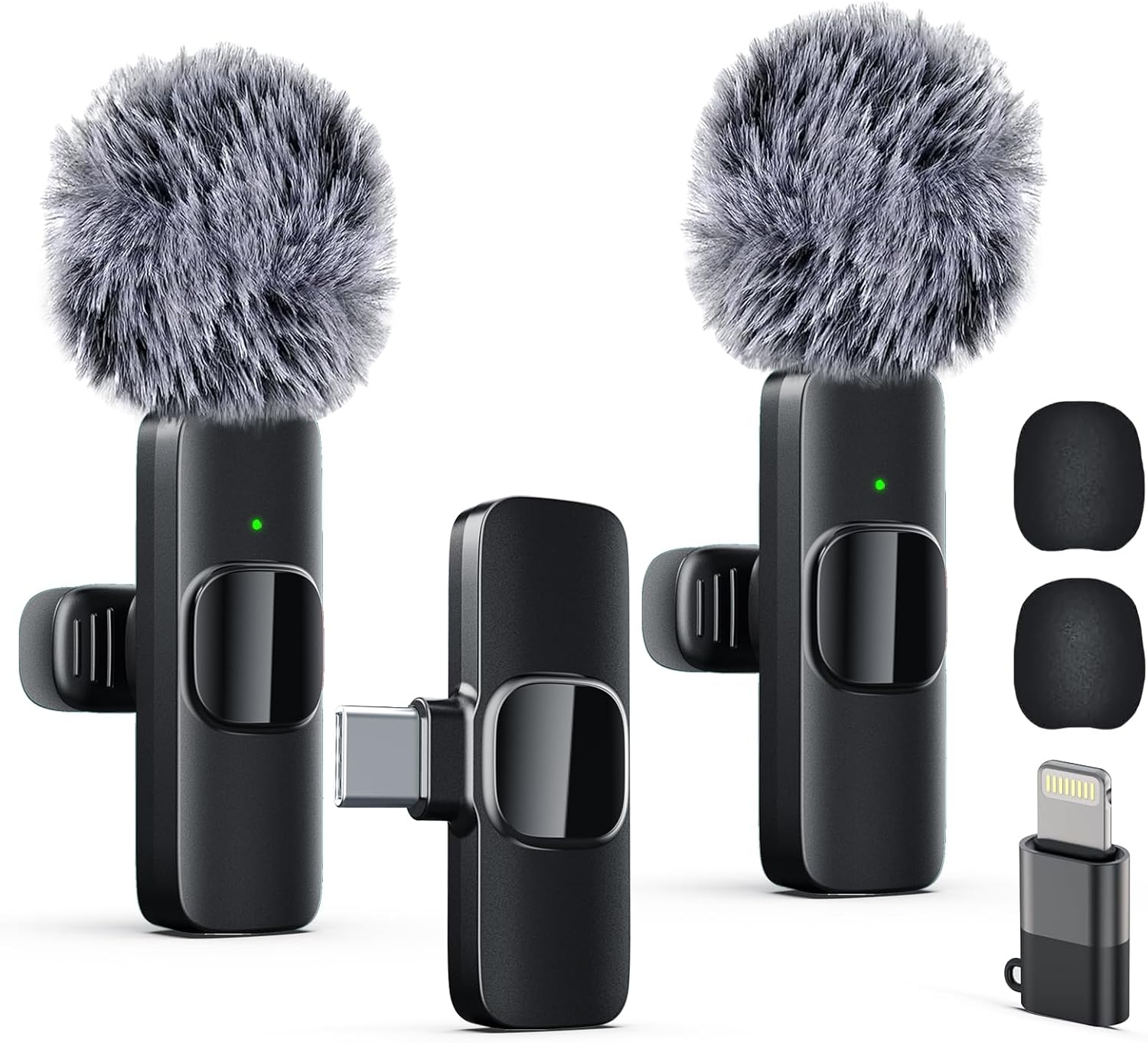
Labstandard Professional Wireless Lavalier Lapel Microphone for iPhone, iPad, mini Video Recording Mic forInterview Video Podcast Vlog YouTube&Livestream, Noise Reduction, Plug &Play
Cheapest way to get a mic onto a phone and off the desk; plug and play with no interface
Lav placement and clothing noise are on you; not the tool for a sit-down studio show
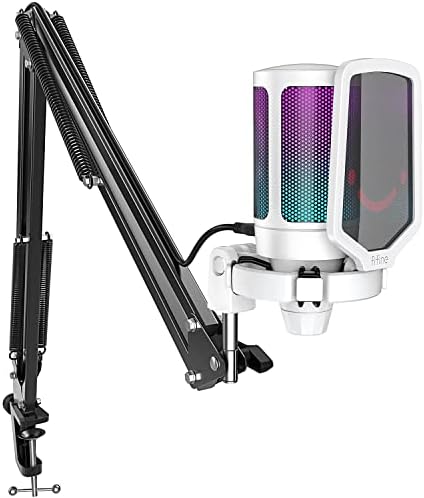
FIFINE AmpliGame A6T USB Gaming Microphone Kit, Condenser Mic for Streaming
One purchase, one cable, everything you need to start streaming tonight
A condenser in an untreated room hears the room; kit accessories are where the money got saved
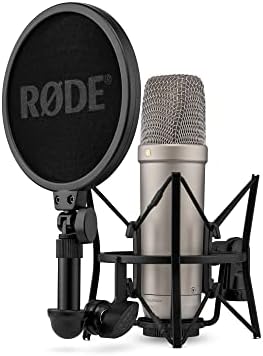
RØDE NT1 5th Gen Studio Condenser Microphone, XLR + USB-C, Silver
One microphone that starts on USB and graduates to XLR without being replaced
A condenser rewards a treated room and punishes an untreated one; overkill for a first setup
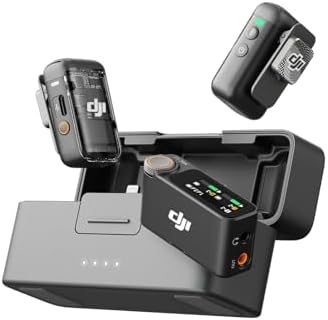
DJI Mic 2 (2 TX + 1 RX + Charging Case), All-in-one Wireless Microphone
Two transmitters and a receiver in one case means two people, no cables, no second purchase
You are paying for logistics, not for a better sounding room; the receiver is one more thing to charge and track
Prices and availability were captured from Amazon Creators API and may change.
What these four microphones actually are
The confusing part of shopping for creator audio is that "microphone" covers four different jobs. A lavalier is a body-worn mic for video, so its whole design goal is staying out of the frame. A USB streaming kit is a desk mic with the preamp, the stand and the cable bundled so a beginner can plug into one port and go. A studio condenser is the traditional XLR voice mic, and the interesting thing about the RØDE NT1 5th Gen is that it also does USB-C, which means it can sit in both worlds. The DJI Mic 2 is not really a microphone at all in the studio sense. It is a wireless capture system: two transmitters, one receiver, one charging case.
Once you see them that way, the comparison stops being about which sounds best in the abstract and becomes about which one survives your actual workflow. I have watched people buy a beautiful condenser, discover their untreated living room turns every reflection into a metallic ring, and stop recording. A microphone you are afraid to use is worse than a worse microphone you use every day. That is the whole test.
Labstandard Professional Wireless Lavalier: the phone-first option
The Labstandard kit is the phone-first answer. It is a wireless lavalier built for iPhone and iPad, it is advertised as plug and play, and the listing talks about noise reduction. What it solves is a real problem: you want to shoot a talking-head video or a vlog with the microphone close to your mouth instead of two feet away on a desk, and you do not want to run an interface or a cable across the room.
The trade-offs are the trade-offs of every lav. You are responsible for placement, and placement is the job. Clip it too low and you get chest resonance and a dull, thumpy voice. Let it rub against a jacket zipper or a collar and you get rustle that no noise reduction setting will fully remove. The proximity effect is your friend here, because a mic an inch from your throat in a bad room beats a mic a foot away in the same bad room, but it also means plosives arrive at full force. A lav also tends to hear the whole room around the person, so a fan, a fridge, or a street outside will show up in your recording. If your content is interviews on the move, product demos, or phone-first vlogs, this is the cheapest way in. If your content is a two-person sit-down show, this is not the tool. Visit on Amazon →
FIFINE AmpliGame A6T: the USB kit that gets people recording
The FIFINE AmpliGame A6T is a USB condenser kit aimed at streaming, and the kit part is the point. One box, one USB port, and you are recording. For someone starting a channel this week, that is worth more than a marginally better capsule, because the failure mode for new creators is not bad tone, it is never hitting record at all.
Where it lands in my framework is simple: this is a condenser, so it will hear your room. In a carpeted bedroom with a bed, a closet and some soft furniture, that is fine and you will sound good. In an empty room with hard floors and bare walls, you will hear exactly that, and no amount of gain staging fixes reflections. Set the mic close, speak across it rather than into it, and treat the space behind you before you upgrade anything.
Two things I would check on any kit. First, the mount: a stand or arm that sags after a month puts the mic in a different place every session, and a moving mic means inconsistent tone and inconsistent levels. Second, the software: USB microphone apps and drivers are the part of the new brands that is still catching up to the legacy names, so make sure the thing works on your machine before you build a workflow around it. Visit on Amazon →
RØDE NT1 5th Gen: the one mic that does both
The RØDE NT1 5th Gen is the pick for someone who wants one microphone and does not want to buy twice. It is a studio condenser with both XLR and USB-C, which matters more than any single spec on the page. You can start on USB-C, record for a year, decide you want an interface and a boom arm and a proper signal chain, and keep the exact same microphone. That is the upgrade treadmill solved, and it is rare.
The catch is that it is a condenser, and condensers are for treated rooms. My position on this has not changed in a decade of editing: dynamics are for real life, condensers are for rooms that have been dealt with. A large condenser at a desk in an untreated apartment will capture the street, the HVAC, and the reflection off the wall behind your monitor, and it will capture them beautifully. That is the trap. People hear their own voice with more detail than ever, mistake detail for quality, and then spend six months chasing noise.
So buy this one if you have some treatment, or if you are genuinely planning to build it. Soft furnishings, a rug, a bookshelf, and a moving blanket behind the mic do more for this microphone than any accessory you can add later. Also plan for the rest of the chain: a condenser this sensitive wants a boom arm, a pop filter, and a room with a noise floor you have actually listened to. Visit on Amazon →
DJI Mic 2: two people, one case, no cables
The DJI Mic 2 is a system, not a microphone, and it should be judged as one. Two transmitters, one receiver, and a charging case means two people can be mic'd, untethered, and stored and topped up in the same box. For interviews, two-person shows, or any shoot where talent needs to move, that is a logistics purchase that pays for itself in the first afternoon.
What it does not do is change the acoustics. A wireless transmitter clipped to a collar has all the same placement responsibilities as any other lav: rustle, plosives, and whatever the room sounds like. The receiver is also another device in your bag with its own battery, its own cables, and its own menu. If you are a solo podcaster at a desk, you are paying a premium for capability you will not use. If you are regularly capturing two voices on camera, the premium is the cheapest part of the deal, because the alternative is a second wired mic, a second stand, and two cables to trip over on every shoot. Visit on Amazon →
The room is still the microphone
Here is the part I would put in bold if I could put the whole article in bold. The room is the microphone. I can make a cheap microphone sound better than an expensive one in a bad room, and I can make an expensive one sound worse in a good one, depending on where it sits and what is behind the person talking.
Practically, that means three things before you spend another dollar on gear. Speak closer. Every inch you add between mouth and capsule adds room tone to the recording, and room tone is the enemy. Deal with the wall behind you, not the wall in front of you, because that is the surface the microphone is pointed at. And listen to your own room with headphones on and nothing playing, once, for sixty seconds. Most people have never done it, and most people discover a hum, a fan, or a fridge they had stopped hearing years ago. Fixing that is free and it beats every microphone in this comparison.
Mounts, pop filters, and gain staging
I will keep saying this until people stop buying mics to fix problems that a $15 accessory caused. A desk stand that transmits every keystroke into the capsule will ruin a microphone that cost more than your phone. A boom arm that holds position, a pop filter that keeps plosives off the capsule, and a shock mount that isolates the mic from the surface underneath it are not optional extras. They are the difference between a usable recording and a re-record.
Gain staging matters too, and it is free. Set your input level so normal speech peaks comfortably below clipping, then leave it alone. Do not ride the gain mid-session, because a recording with a consistent noise floor is far easier to edit than one where the level moves every time someone gets excited. Room tone is your friend in the edit. Record thirty seconds of silence in every session, and you will have something to fill gaps with when you cut a breath or a plosive.
Who should buy which
Buy the Labstandard lav if your content is shot on a phone or a tablet, you are on camera, and you need the microphone close to your face without cables. It is the cheapest fix for the most common beginner problem, which is a mic that is too far away.
Buy the FIFINE AmpliGame A6T if you want one box, one cable, and a stream running tonight, and your room has soft surfaces in it.
Buy the RØDE NT1 5th Gen if you are serious about voice, you have or will build some treatment, and you want a microphone that survives your next upgrade instead of being replaced by it.
Buy the DJI Mic 2 if two people on camera is your normal week and cables are costing you time. That is the whole decision. Not which one sounds best in a review, but which one removes the most friction from the way you actually record.
What I'm watching next
On-mic DSP is going to keep eating the entry market. The brands that win the next round will not be the ones with the flattest response curve, they will be the ones with the best auto-EQ and the least annoying software, because most buyers are recording in rooms they cannot change. I also expect room treatment kits to sell better over the next two years, once enough people figure out that the microphone was never the problem. My prediction from last January still stands: interfaces become a niche purchase, wireless becomes the default for video, and the smart money goes to whoever makes a $100 microphone sound good in a kitchen.