Most creators buy a microphone before they buy a room. That is the wrong order, but it is the order almost everyone uses, so a buying guide should at least be honest about it. The best microphones for creators are rarely the ones with the longest spec sheet. They are the ones that fit how you actually record: on camera, at a desk, in a treated corner, or in a kitchen with a refrigerator humming two feet away.
This roundup covers six listings that arrived in the same product set. Four are audio products, one is an interface that decides how an XLR microphone will sound, and one is a seasonal party-favor item that is not audio gear at all. That last one stays in the grid, labeled plainly, rather than being dressed up as something it is not.
Related: USB vs XLR Microphones: Which Path Fits Your Room?
Quick answer
The DJI Mic 3 (2 TX + 1 RX + Charging Case), Wireless Microphone is the strongest fit for creators who record video with a camera or phone because the kit ships as a complete two-person wireless package with two transmitters, one receiver, and a charging case. Choose the Audio-Technica AT2035 Cardioid Condenser Microphone instead when you record at a desk in a quiet, treated space and already own an XLR interface.
Microphones and audio gear worth comparing
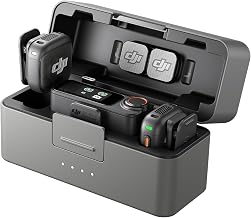
DJI Mic 3 (2 TX + 1 RX + Charging Case), Wireless Microphone
A wireless microphone kit sold as one package with two transmitters, one receiver, and a charging case, which covers two speakers or two camera positions without buying a second system.
Visit on Amazon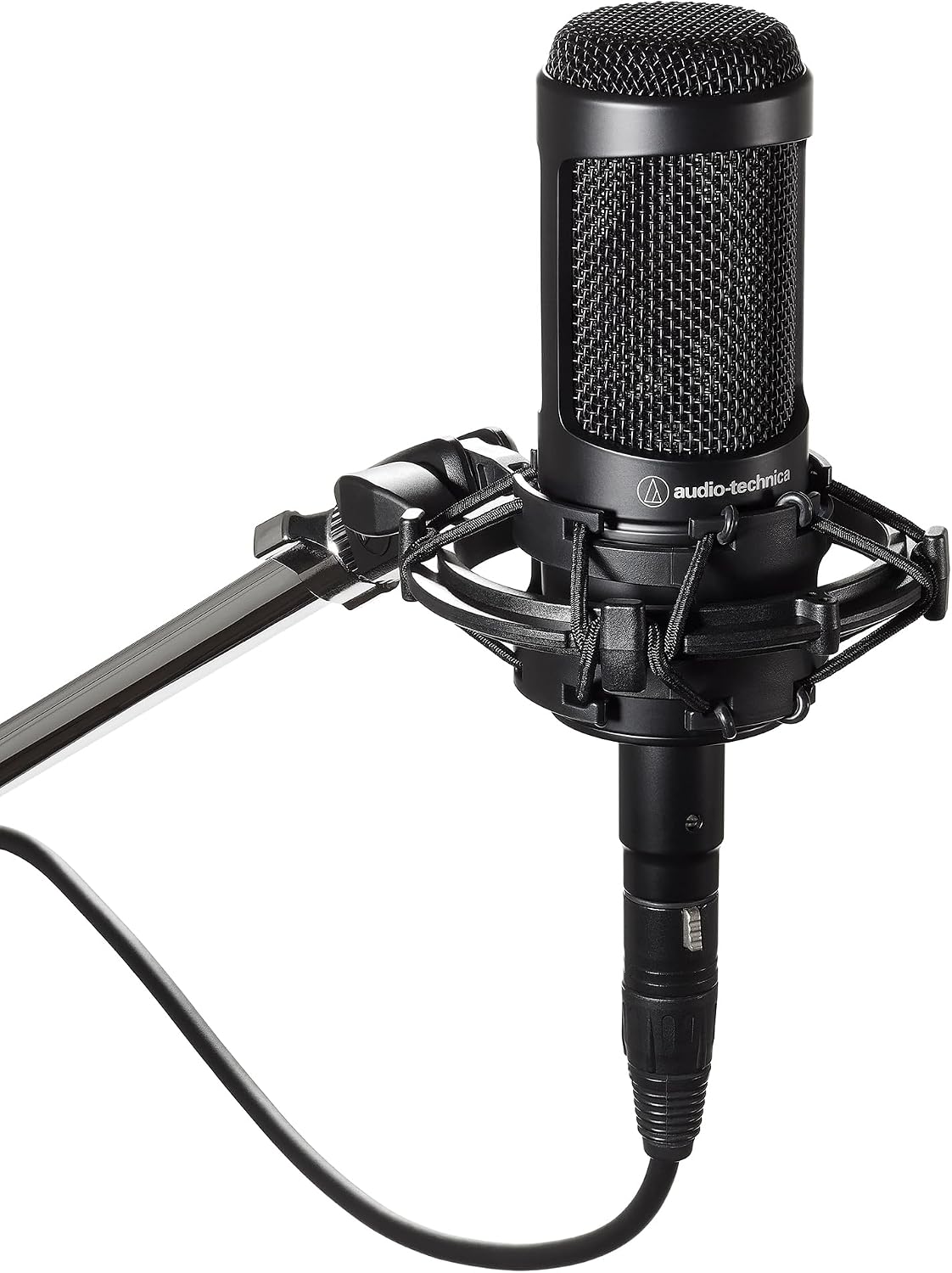
Audio-Technica AT2035 Cardioid Condenser Microphone, Perfect for Studio, Podcasting & Streaming, XLR Output, Includes Custom Shock Mount
A cardioid condenser with XLR output, listed for studio, podcasting, and streaming use, and sold with a custom shock mount in the box. It needs an interface or mixer, since there is no USB connection.
Visit on Amazon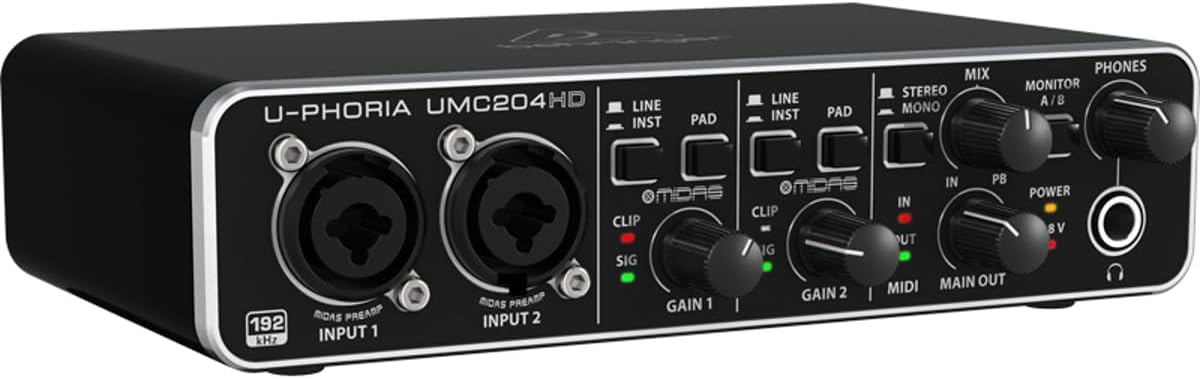
Behringer UMC204HD Audiophile 2x4, 24-Bit/192 kHz USB Audio/MIDI Interface with Midas Mic Preamplifiers | For Recording Microphones and Instruments
Check current Amazon price
A 2x4 USB audio and MIDI interface running at 24-bit and 192 kHz, with Midas microphone preamplifiers, listed for recording microphones and instruments into a computer.
Visit on Amazon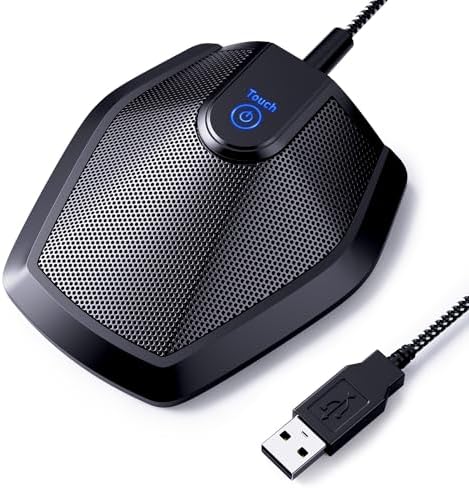
TONOR Conference USB Microphone, Omnidirectional Condenser PC Mic G11
An omnidirectional condenser microphone that connects over USB to a computer, positioned as a conference and meeting microphone rather than a close-mic recording tool.
Visit on Amazon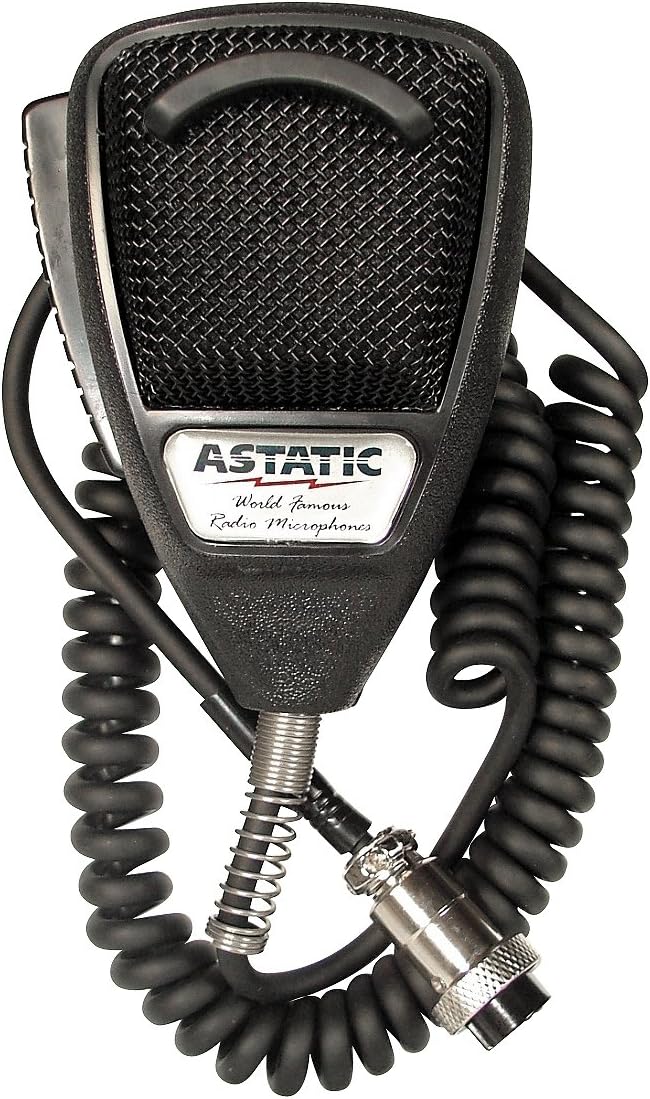
Astatic 302-636LB1 Black Noise Cancelling 4 Pin CB Microphone (Bulk),XLR
A noise-cancelling CB-style microphone with an XLR connection, sold in bulk packaging. It is a communication microphone, not a studio or podcasting microphone, and it is the least expensive option here.
Visit on Amazon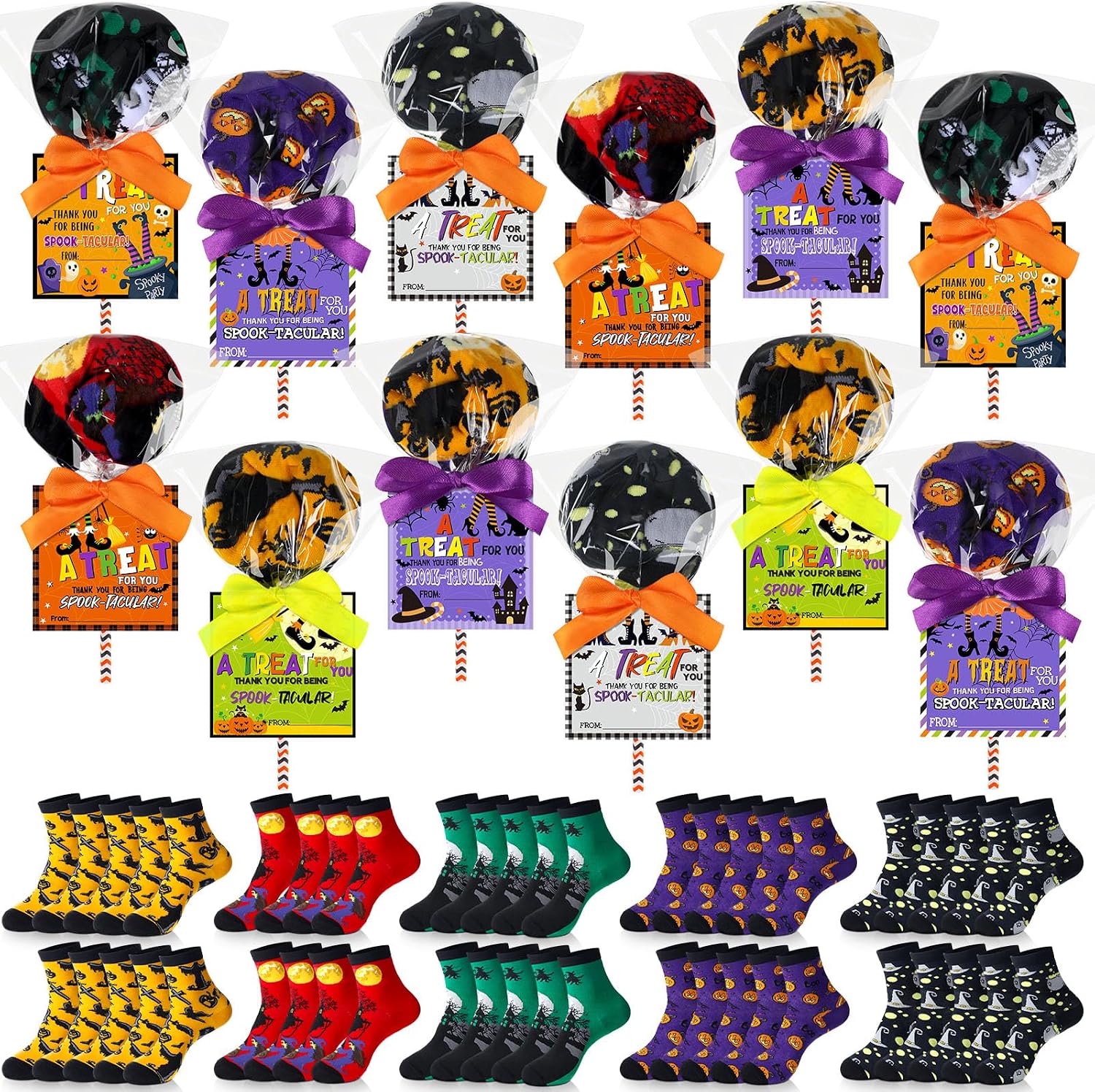
24 Paris Halloween Socks Bulk with 24 Cards 24 Stickers 24 Plastic Bags DIY Funny Spooky Ghost Pumpkin Bat Witch Socks Lollipop for Women Girls Men Trick or Treat Party Favors Gifts Crafts
Check current Amazon price
A bulk set of 24 Halloween socks with 24 cards, 24 stickers, and 24 plastic bags, sold for trick-or-treat party favors, gifting, and crafts. It is not audio equipment and appears here only because it was part of this product set.
Visit on AmazonPrices and availability may change. Check the retailer for current details.
How these products were compared
This guide compares connection format (wireless, USB, or XLR), what is actually included in the box, pickup pattern and how it is likely to interact with room noise, whether the product needs a separate interface or computer to work, and how well the kit scales when a second person joins the recording. Product names, images, and retailer links are matched by ASIN so that every card points to the product shown.
That list is a paper comparison drawn from published product information and the contents named in each listing. It is not a measurement session. Where a pattern or a connection type has predictable consequences, this guide says so and explains the reasoning, but it does not claim a hands-on test result that was not performed.
How to choose the right microphone
Start with the room, because the room sets the ceiling on everything else. A cardioid pattern, like the one on the Audio-Technica AT2035, is designed to favor what sits in front of it and reject more of what sits behind it. That helps in a home office, but a condenser still captures detail from the sides and above, which is why an untreated room with hard walls and a nearby window tends to show up in the recording. An omnidirectional USB microphone such as the TONOR G11 is the opposite trade: it is built to hear the whole table, which is exactly what you want in a conference room and exactly what you do not want if a fan, a street, or a keyboard is anywhere in the room.
Next, decide whether you want a system or a component. The DJI Mic 3 is a system: two transmitters, a receiver, and a charging case, which means two people can be recorded at once without adding anything else. The Astatic 302-636LB1 is a component, a noise-cancelling communication microphone with an XLR connection, and it expects something on the other end of that cable. XLR microphones in general are only half a purchase. The other half is the path into your computer, which is where the Behringer UMC204HD comes in: a 2x4 USB audio and MIDI interface at 24-bit and 192 kHz, with Midas microphone preamplifiers, listed for recording microphones and instruments.
If you are still deciding between a USB microphone and an XLR chain, that fork in the road is worth reading about before you spend anything, because it determines every purchase after it. A USB microphone is a complete path by itself. An XLR microphone is a commitment to an interface, a cable, and a bit more setup knowledge. Neither is better in the abstract. The USB path wins when you want one cable and no decisions. The XLR path wins when you want to change one piece later without replacing the whole chain.
There is also the question of what you record. If your work is on camera, wireless wins on convenience, because a transmitter clipped to a shirt follows the subject and the receiver feeds the camera or phone directly. If your work is at a desk, a mounted microphone wins on consistency, because it never needs charging and it never moves. Most creators end up owning one of each eventually, and the order in which you buy them should follow whichever format you use more often.
DJI Mic 3 (2 TX + 1 RX + Charging Case), Wireless Microphone
The DJI Mic 3 is the only product in this group that arrives as a complete multi-person capture kit. The package names two transmitters, one receiver, and a charging case, so a two-host interview or a two-camera shoot is covered by a single purchase, and the case gives the transmitters somewhere to live between sessions. For creators whose main output is video, that combination removes the two most common points of failure: not enough transmitters, and dead batteries with no obvious place to recharge them.
The trade-off is that a wireless kit is a different tool from a studio microphone. It is battery dependent, it needs to be charged before a session, and it does not offer the XLR output that a desk-based setup assumes. If your recording happens in one fixed spot and you never move, a wireless system is buying flexibility you may not use. If your recording happens on a couch, in a car, in a hallway, or in front of a camera that moves, that flexibility is the entire point, and a fixed microphone will not substitute for it.
Alternatives to consider
The Audio-Technica AT2035 Cardioid Condenser Microphone is better suited to a fixed desk setup in a quiet room, where its cardioid pattern and XLR output can be paired with an interface you already own, and where the included custom shock mount does the job a desk stand usually fails at. The Behringer UMC204HD is a stronger fit when you already own an XLR microphone and need the computer end of the chain, or when you record instruments alongside voice and want MIDI in the same box.
The TONOR Conference USB Microphone covers meeting-room and group-call duty, where an omnidirectional pattern is a feature rather than a liability. The Astatic 302-636LB1 covers low-cost communication use with its noise-cancelling design and XLR connection, in bulk packaging. The 24-piece Halloween socks set covers party favors and crafts, not audio, and it is listed here for completeness rather than recommendation.
Day-to-day use and maintenance
Wireless kits live and die on charging habits. Put the transmitters back in the case after every session, and check the charge before you leave for a shoot rather than at the location. Battery-powered gear that sits in a bag for three weeks is the most common reason a recording fails, and it has nothing to do with audio quality.
XLR microphones are simpler in that regard but less forgiving of placement. A shock mount, which the AT2035 includes, isolates the microphone from desk bumps and keyboard vibrations better than a rigid stand, and a pop filter in front of the capsule handles plosives far more gracefully than a software fix applied afterward. Keep the capsule out of dust when the microphone is not in use, and store cables loosely rather than coiled tight around a sharp corner.
Interface and USB microphone owners should treat software as part of the gear. Drivers, firmware, and any companion app are worth updating before a session, not during one, and it is worth confirming that the interface you choose supplies what your particular microphone needs before you plug in for the first time. Gain staging is the habit that matters most: set the input level so normal speech peaks well below the maximum, then leave it alone. Cranking gain to fix a noisy room amplifies the room along with the voice.
For the non-audio item in this roundup, care is what you would expect from a bulk party-favor set: keep the socks and cards dry, and assemble the bags close to the event so the stickers stay flat.
Buying checklist
- Measure the space where the microphone will sit, including clearance for a boom arm or shock mount.
- Choose the connection format based on your normal recording day, not on an occasional edge case.
- Confirm whether the exact model includes the accessories you are counting on, such as a shock mount or charging case.
- Check that your interface or computer can supply what an XLR microphone requires before buying.
- Read the cleaning and storage instructions, especially for battery-powered gear.
- Verify the current retailer price, availability, and return terms.
Final recommendation
Choose the DJI Mic 3 when you record video, move around, or need two people captured at once, because the two transmitters, receiver, and charging case cover that job in one purchase. Choose the Audio-Technica AT2035 when you record at a fixed desk in a room that is quiet enough for a condenser, and pair it with an interface such as the Behringer UMC204HD if you do not already own one. The TONOR G11 fits group calls, the Astatic 302-636LB1 fits low-cost communication work, and the Halloween socks set fits a party, not a signal chain.