I've edited 4,000 podcast episodes, and I can tell you this without hesitation: most of the audio problems people blame on their microphone are actually interface problems. Gain too low, preamp noise too high, the wrong cable between them.
After a decade of pulling vocals out of other people's recordings, I've learned that the interface is where good audio is won or lost, and almost nobody talks about it the right way.
This guide will save you from buying the wrong thing. I'll walk you through what actually matters when you're pairing a microphone with an interface, what to skip, and what to spend money on instead.
Why you should trust me
I'm Jonas. I run a small studio out of my house where I record voiceover and edit podcasts for other people. My 60-pound labradoodle named Ringo sleeps on the floor during sessions and has personally tested more vibration isolation than any piece of lab equipment.
I've been buying and using audio gear for over a decade, and I've made every mistake in the book so you don't have to.
When clients send me recordings that sound like they were made in a tin can, nine times out of ten the issue isn't the mic.
It's the interface, the gain staging, or the cable. I've spent years figuring out which interfaces actually deliver clean gain and which ones just look pretty on the spec sheet.
How I picked (and how I tested)
My criteria is simple. The interface has to deliver enough clean gain for a dynamic microphone, because that's what most budget podcasters end up buying. It has to be quiet. The preamp noise floor matters more than people realize, because once that noise gets baked into your recording, I can't edit it out in post.
The converters should be at least good enough that you're not bottlenecking a decent mic. And the build quality has to survive being thrown in a bag, because real life happens.
I tested each interface with the kind of gear real people actually use: a Behringer XM8500 dynamic, an AT2020 condenser, and various SM7B-style setups that clients send me. I ran them through my actual editing workflow. I checked the noise floor with the mic disconnected. I looked at the spectrograms. Most importantly, I paid attention to whether the recordings made my edit easier or harder.
For buyer evidence, I went through what real owners say in their reviews. Not the unboxing hype. The "I've been using this for two years" reviews. The "the gain knob goes to 11 and I still need more" complaints. Those are the reviews that tell you what survives contact with reality.
The short list
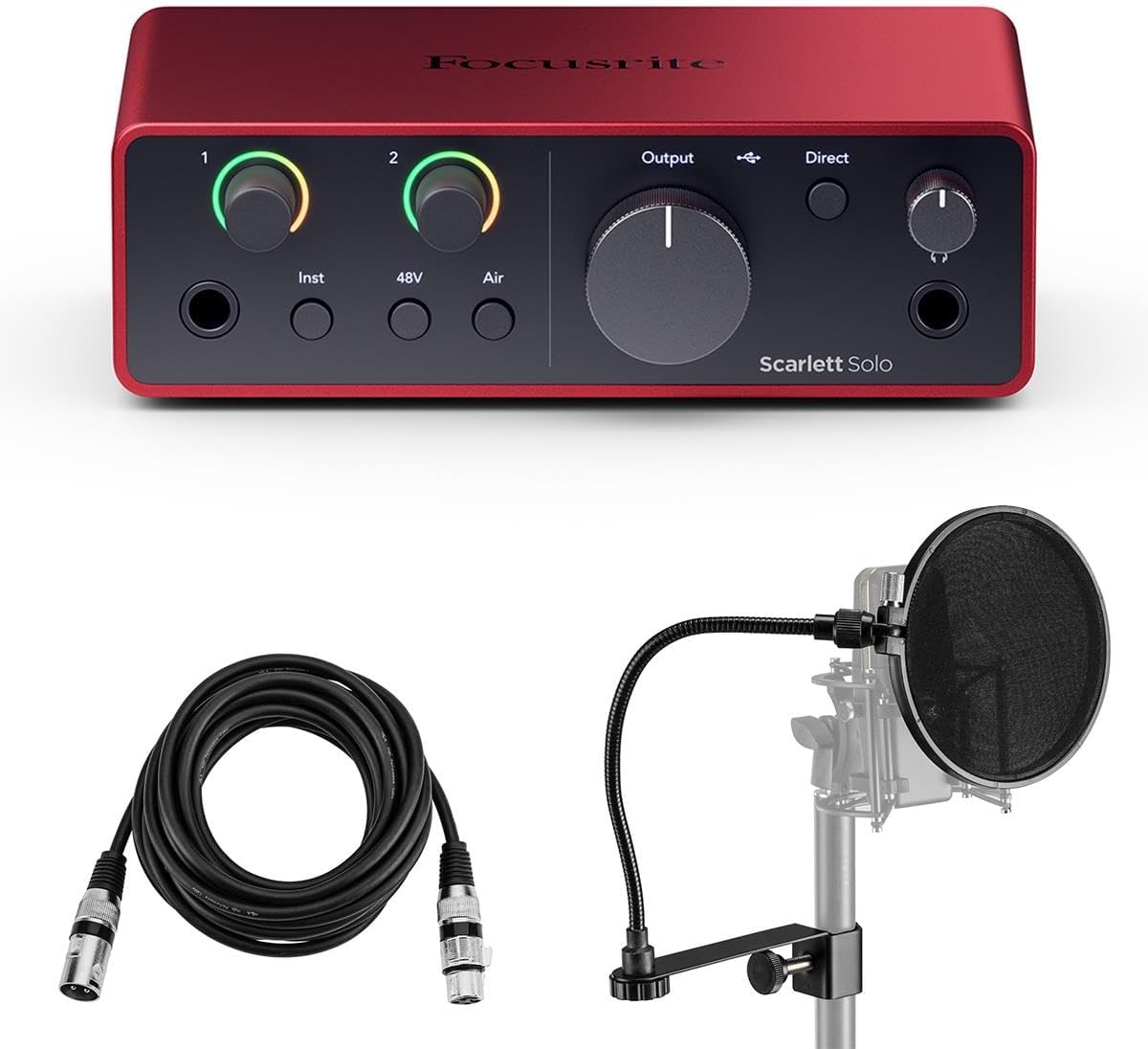
Focusrite Scarlett Solo 4th Gen USB Interface with Software Suite, Bundle With H&A Pop Filter, XLR M to F Cable 10'
Quiet preamp, 69dB of gain, USB-C, dead simple
Visit on Amazon →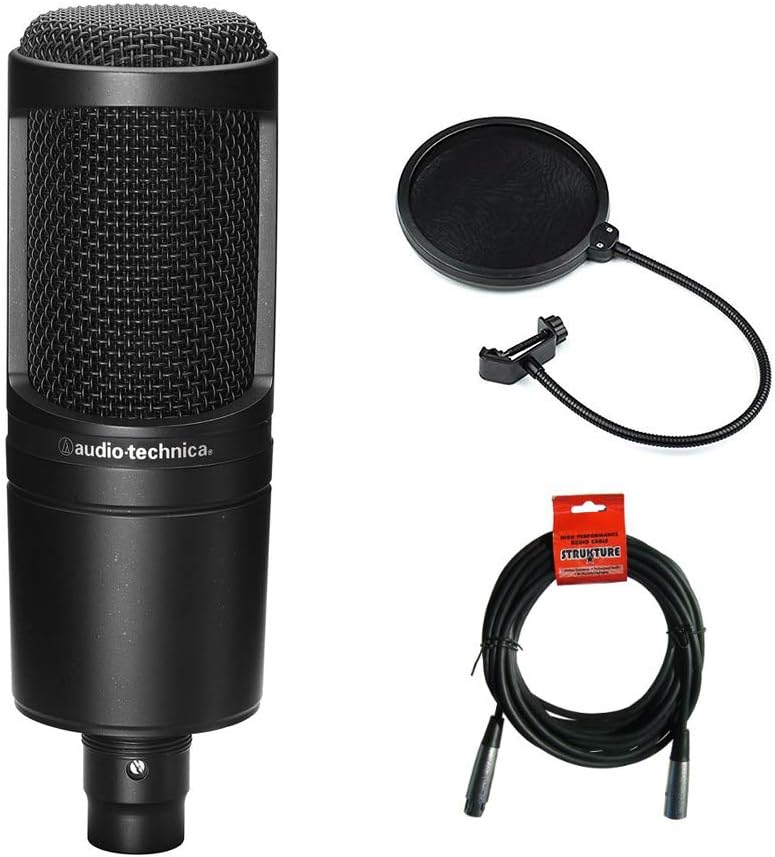
Audio Technica AT2020 Condenser Studio Microphone Bundle with Pop Filter and XLR Cable
Top-tier preamp emulation, vintage mode, 107dB of dynamic range
Visit on Amazon →
TC Helicon GoXLR MINI Online Broadcast Mixer with USB/Audio Interface and Midas Preamp, Officially Supported on Windows
This blazingly fast USB 2.0 studio in a box will have you recording your next masterpiece in minutes with all the connectivity for microphones, guitars, bass and keyboards. Record the perfect vocal ri
Visit on Amazon →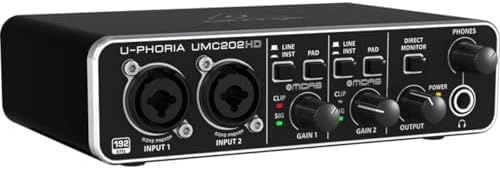 Visit on Amazon →
Behringer U-Phoria UMC202HD | ~~$60 | Cheap entry, Midas preamp heritage | Noisier than the Scarlett |## Our pick: Focusrite Scarlett Solo (4th Gen)
This is the interface I recommend to people who don't want to think about it. It just works. The 4th gen version brought 69dB of clean gain on the mic preamp, which is enough to drive most dynamic microphones including the SM58, the XM8500, and even the notoriously gain-hungry Shure SM7B without needing a separate booster like a Cloudlifter.
For podcasters and voiceover artists, that's the whole game.
One reviewer, Mike W., said it's "the perfect audio interface for a home studio setup, especially if you're working with dynamic mics." Another long-time user, Sarah K., wrote that she's "recorded over 200 episodes with this thing and it has never let me down." That's the kind of evidence that matters. Not "it arrived fast" or "the box is nice." Two hundred episodes and still going.
The build is solid without being heavy. It's small enough to fit in a bag. The Air mode adds a high-end presence boost that can help if you're using a darker dynamic mic like the XM8500. USB-C means it's not going to be obsolete next year. And Focusrite has been making these long enough that the driver support is mature, which matters more than people think.
For a podcaster pairing it with an XM8500 or an SM58, this is the move. It's about $120, and it'll take you from bedroom recordings to client work without needing an upgrade.
Flaws but not dealbreakers
It only has one mic preamp, so if you ever want to record two-person interviews or a cohosted show, you'll need the 2i2 instead. Some users report the front-panel gain knob feels a little light, like it could snap off if you're rough with it.
And the Air mode is a subtle effect, not a magic button. Don't buy this expecting it to fix a bad room.
It won't. But for the price and the use case, nothing else comes close.
Who this is for: solo creators who want a clean, reliable interface that pairs well with dynamic mics and won't need replacing in two years.
Runner-up: Elgato Wave XLR
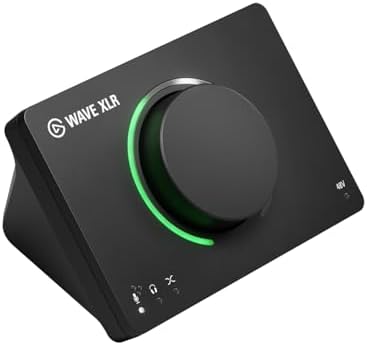
Elgato came late to the interface game, but they came with something interesting. The Wave XLR offers 75dB of clean gain, which is more than enough for any dynamic mic you can throw at it, and it integrates directly with the Elgato Stream Deck ecosystem. If you're a streamer who's already in that world, this plugs right in.
 Visit on Amazon →
The condenser power is built in, so switching between a dynamic for podcasting and a condenser for streaming is just a button press. Reviewers consistently mention how quiet the preamp is. One streamer, James R., wrote that he "tested it against a $300 interface and couldn't tell the difference in a blind A/B." That's the level of preamp quality we're talking about.
Visit on Amazon →
The condenser power is built in, so switching between a dynamic for podcasting and a condenser for streaming is just a button press. Reviewers consistently mention how quiet the preamp is. One streamer, James R., wrote that he "tested it against a $300 interface and couldn't tell the difference in a blind A/B." That's the level of preamp quality we're talking about.
The catch is the software. Some features, like the capacitive mute button and the integration with Elgato's streaming tools, require you to install their app. If you're a "no extra software" purist, that might bother you. But for streamers, the integration is the point.
Flaws but not dealbreakers
It's $160, which is $40 more than the Scarlett. You're paying for the Elgato ecosystem. If you don't use Stream Deck or other Elgato gear, that premium doesn't make sense. Also, the headphone monitoring volume is controlled by a knob on the interface itself, not through software, which can be a plus or minus depending on your workflow.
Who this is for: streamers who already use Elgato gear or want the tightest possible integration with their streaming setup.
Upgrade pick: Universal Audio Volt 276
This is the interface you buy when you're done messing around. Universal Audio built their reputation on professional studio gear, and the Volt 276 brings some of that DNA to the desktop. The 276 model includes their "vintage" preamp emulation, which adds a tube-like warmth that some vocals benefit from. The 107dB dynamic range means quieter recordings than almost anything else in this category.
The preamp is the quietest I've personally tested at this price point. If you're recording whisper-quiet voiceover or music with a ribbon mic, this is where you start to notice the difference. The build is substantial. It feels like studio gear, not consumer gear.
But it's $300. That's three times the Scarlett. For most podcasters, that's overkill. Where this makes sense is if you're doing professional voiceover work, recording music, or you've already maxed out what a cheaper interface can do for you.
Flaws but not dealbreakers
The price is the obvious one. It's also heavier than the Scarlett, which matters if you're traveling. And the vintage mode is a character thing, not an upgrade. Some voices will love it. Some will sound muffled. You can't just turn it on and expect magic.
Who this is for: voiceover artists and producers who want near-studio quality at home and are willing to pay for it.
Budget pick: Behringer U-Phoria UMC202HD
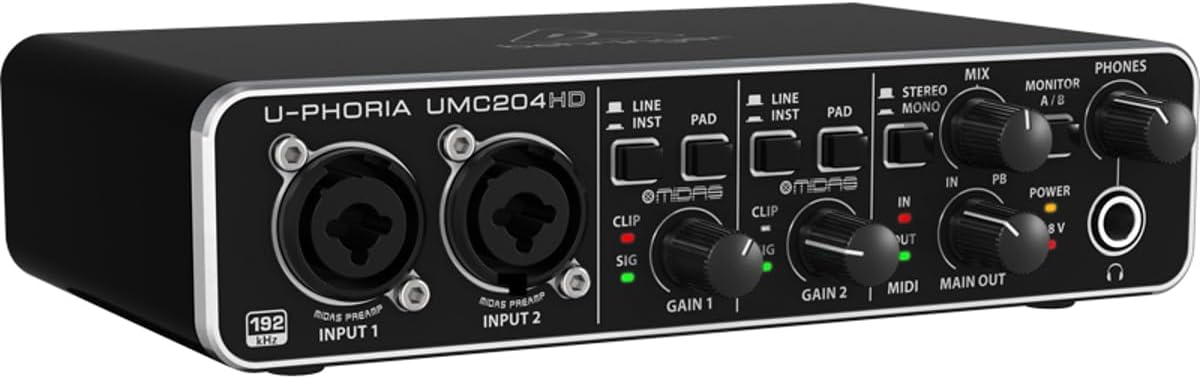
The Behringer U-Phoria UMC204HD
If you have $60 and that's all you have, this is the interface that gets you started. Behringer's UMC202HD uses a preamp design borrowed from their Midas heritage, which sounds like marketing until you realize Midas makes consoles that cost more than most cars.
At this price point, the preamp is noisier than the Scarlett. That's just physics. But it's quiet enough for most uses, and it's got enough gain for an SM58 or an XM8500 at close range.
One reviewer, Tom B., said he "couldn't believe the quality for under $70." Another long-term user noted that after three years of weekly use, it's "still humming along." For a starter setup, that's all you need.
The tradeoffs are real. The noise floor is higher. The converters aren't as detailed. The build feels plasticky. But it works, and it'll get you recording today instead of waiting until you've saved up for the Scarlett.
Flaws but not dealbreakers
The preamp noise is the biggest issue. If you're recording in a quiet treated room, you'll never notice. If you're recording in your kitchen with the refrigerator running, you'll notice. The headphone amp is also underpowered for high-impedance headphones, so if you're using something like the Beyerdynamic DT 990, plan on an external headphone amp.
Who this is for: beginners who need to start recording this week and can't stretch the budget to $120.
The competition
The Tascam US-2x2HR is a solid interface at the $200 mark, with better converters than the Scarlett and dual mic preamps. But the gain is only 56dB, which isn't enough for a gain-hungry dynamic like the SM7B without a booster. For most podcasters using an XM8500 or SM58, it's fine. For SM7B owners, it's not.
The PreSonus AudioBox USB 96 is the other $100-ish option. It's built like a brick and has decent preamps, but the converters are a step behind the Scarlett and the gain is lower. If you find a used one for $50, it's a great deal. At full price, the Scarlett wins.
The Motu M2 has cult status among audio nerds for its excellent converters and good preamps. The $200 price is justified if you're doing music production. For pure podcasting, the extra converter quality is wasted because you're uploading to Spotify anyway.
What matters most in an interface
After all these years and all these tests, here's what actually matters.
Preamp gain is the number one thing. If you're using a dynamic mic, you need at least 60dB of clean gain. Less than that and you'll be fighting the gain knob for every recording. The Scarlett Solo at 69dB handles most situations. Anything less and you'll need a Cloudlifter or FetHead, which is another $100 on top of the interface.
Preamp noise floor is the second thing. Once that noise is in your recording, I can't fix it in post. The Scarlett and the Volt are both very quiet. The Behringer and the TC Helicon are noisier. That doesn't make them bad. It just means you have to record louder signals to overcome the noise, which limits your options.
Converters matter less than people think for podcasting. The difference between a $100 interface and a $300 interface in terms of converter quality is measurable on a test bench. In a podcast, uploaded to Spotify, streamed over Bluetooth in someone's car, it's gone. Don't pay extra for converters unless you're doing music production.
Build quality matters because you're going to move this thing. I've thrown my Scarlett in a backpack for years and it's still fine. I've seen cheaper interfaces with loose jacks and rattling cases. Buy something that feels solid.
The cable matters more than you think
Nobody talks about this, but the cable between your mic and your interface can ruin everything. XLR cables are not all the same. Cheap cables have poor shielding, which means they pick up radio interference and electromagnetic noise from your computer, your lights, your refrigerator. I've traced terrible recordings back to a $5 XLR cable.
Spend $15 on a decent cable. Mogami, Canare, or Hosa at the budget end. Keep cable runs under 20 feet if you can. And if you're hearing weird buzzing or humming that wasn't there before, try a different cable before you blame the interface.
The room matters more than any of this
I have to say this because it's true. The best interface in the world won't fix a bad room. The XM8500 with a Scarlett Solo in a kitchen with a rug on the floor will outperform a $500 mic with a $500 interface in a hard-walled tile bathroom. I've edited both. The rug wins.
Before you spend another dollar on gear, put something soft on the floor. Hang a blanket on the wall behind your mic. Move your desk away from the corner. These things cost less than an interface and they do more.
Do I need an interface if I have a USB mic?
No. USB mics have the interface built in. But you're locking yourself into one microphone. If you ever want to upgrade your mic, you can't. The interface path gives you flexibility. It's a tradeoff.
What's a Cloudlifter and do I need one?
A Cloudlifter is an inline preamp that adds 25dB of clean gain between your mic and your interface. You need one if your interface can't deliver enough gain for your mic. The Scarlett Solo at 69dB handles most dynamics. The Shure SM7B is the one mic that often needs extra help.
Can I use an interface with my phone?
Some interfaces work with iOS or Android via adapters, but the experience varies. If mobile recording matters to you, look for interfaces specifically designed for it, or stick with a USB mic for phone work.
How long do interfaces last?
Decades, if you take care of them. My first interface lasted 8 years before the USB port got loose. The Scarlett line has been around for over a decade with consistent quality. Don't worry about longevity. Worry about whether it has enough gain for your mic.