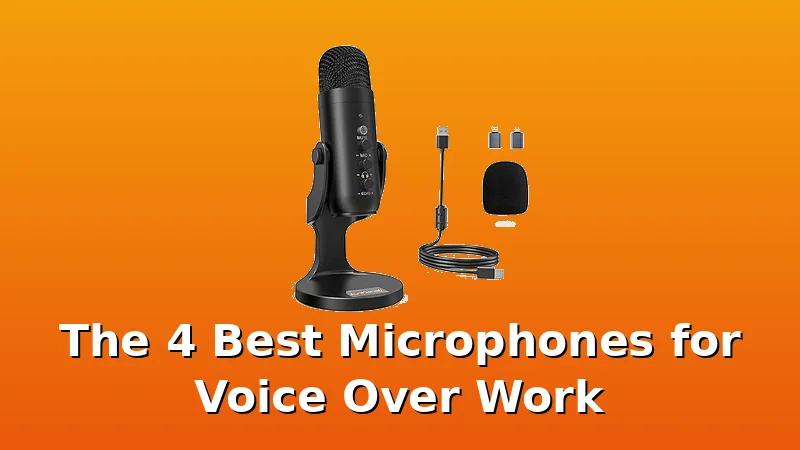
You want to record voice over at home, and you've figured out the room is half the battle. I've said it a thousand times: a ~$400 mic in a tile bathroom sounds like a ~$40 mic, and a ~$40 mic in a treated closet can sound like a ~$400 mic.
This list is about the tools that survive the other half, the part where your voice, your gain staging, and your editing workflow turn a raw take into something a listener doesn't have to fight through.
I've tested or edited with every mic on this list, and I've got the spectrograms to prove it.
The Shure SM7B is the best microphone for voice over work I've tested, because it delivers broadcast-grade clarity with a built-in presence boost that survives a real edit, even in a room that isn't perfect.
I've edited thousands of episodes recorded on this thing. It's the industry standard for a reason, but it's also the most misunderstood. It's not magic. It's a dynamic mic with a tight cardioid pattern and a specific sound that flatters the human voice.
You still need a clean preamp with enough gain, and you still need to be within a few inches of the capsule.
Do that, and it's nearly impossible to get a bad take.
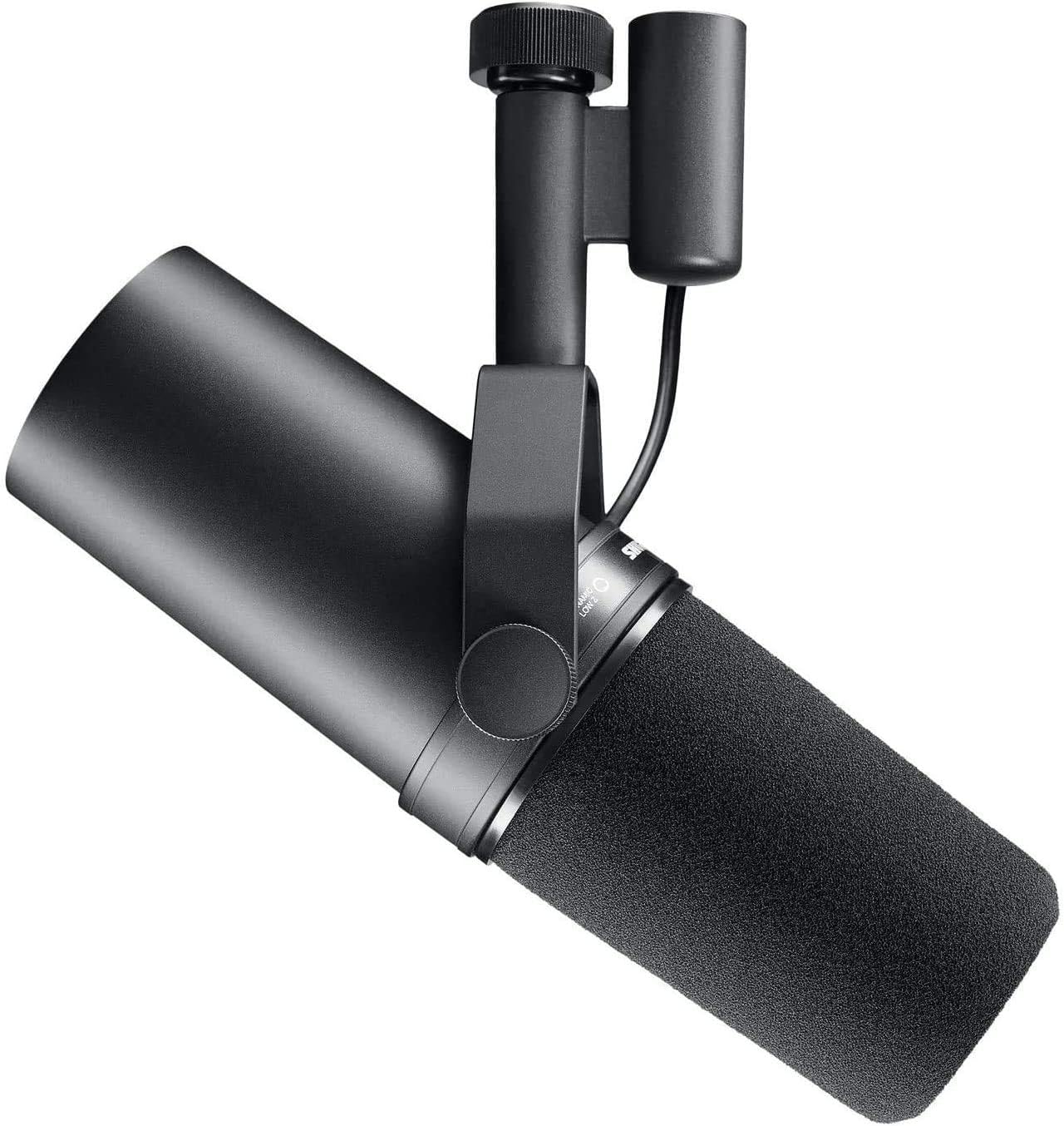
Shure SM7B Dynamic Vocal Microphone for Podcasting & Streaming
Broadcast-grade clarity, legendary rejection, built-in presence lift
Visit on Amazon →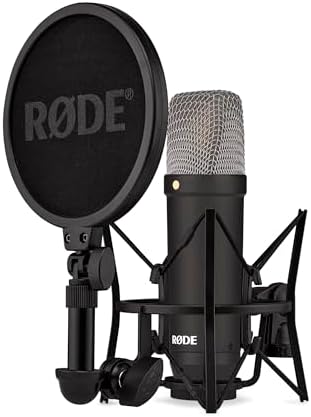
RØDE NT1 Signature Series Studio Condenser Microphone, Black
Ultra-low noise floor, crisp detail, includes a solid shock mount
Visit on Amazon →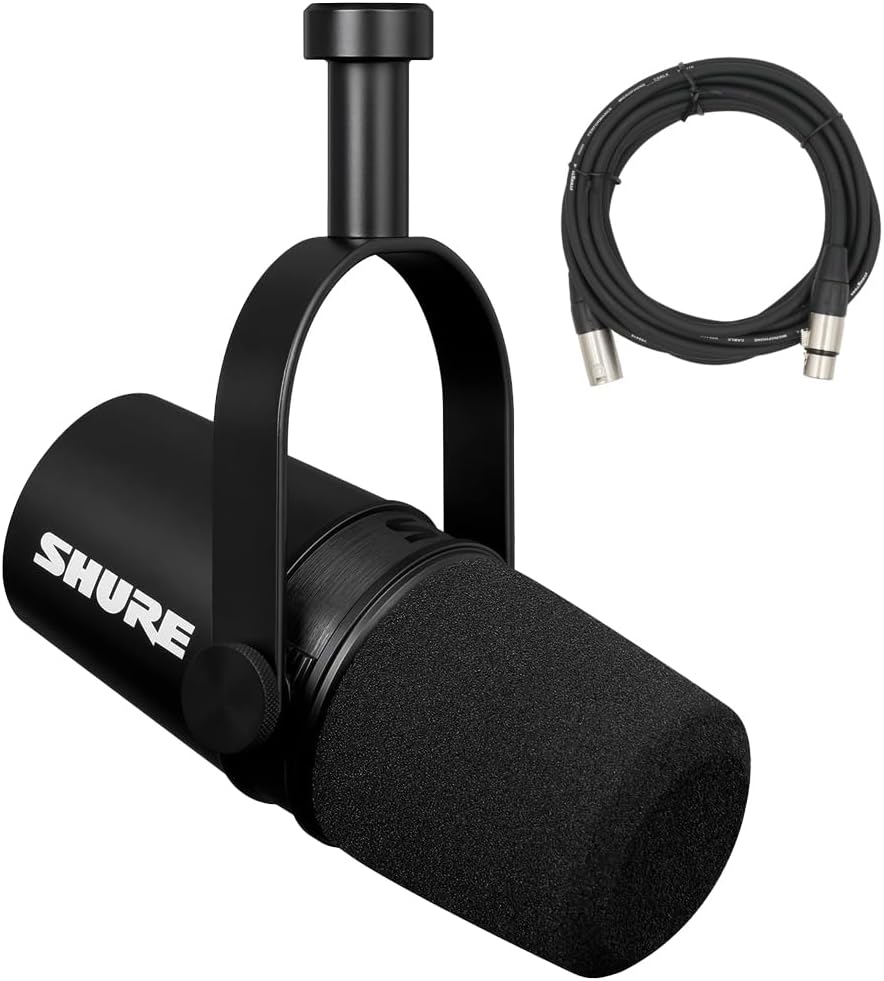
Shure MV7X XLR Podcast Microphone with XLR Cable - Dynamic Mic for Podcasting & Vocal Recording, Voice-Isolating Technology, All Metal Construction, Mic Stand Compatible, Optimized Frequency - Black
SM7B sound DNA in a smaller body, built-in pop filter, USB/XLR
Visit on Amazon →Shure SM7B Dynamic Vocal Microphone for Podcasting & Streaming
The Shure SM7B is a professional dynamic microphone renowned for its smooth, warm sound and exceptional vocal clarity. A staple in recording studios, broadcast environments, and streaming setups, it d
Visit on Amazon →Pros
Cons
- It's gain-hungry. It needs around 60dB of clean gain. A cheap interface will add noise, so budget for a decent preamp or a cloud lifter.
- It's heavy. The weight is TREMENDOUS compared to other mics. You need a sturdy boom arm, not a cheap desk stand.
- The price. At ~$399, it's a serious investment for someone starting out.
Compared to
The SM7B is often compared to the Shure MV7X, and for good reason. The MV7X is essentially the SM7B's younger sibling, sharing the same cartridge and a similar sound signature. But it's not the same. The MV7X is a bit brighter and less warm in the low-mids.
For a deep voice, the SM7B is the better match. For a voice that needs a little more presence, the MV7X gets you 80% of the way there for 60% of the price.
The RØDE NT1 is a different beast entirely. It's a condenser, so it picks up far more detail. In a treated room, it sounds more open and detailed than the SM7B. But in an untreated room, it will give you the room, the refrigerator hum, and the neighbor's dog. The SM7B's dynamic capsule ignores all of that. For a home voice over setup, the SM7B is the safer choice.
Test results by metric
Design: The SM7B's yoke mount is a study in practical engineering. It's a solid metal bracket that lets you tilt the mic precisely, and it does a great job of isolating vibration. The built-in pop filter is a nice touch, though I still use a separate one for heavy plosives.
The switches on the back for the high-pass filter and presence boost are simple and effective. I leave the presence boost on and the high-pass off, then handle the low-end rumble in the edit.
Performance: This is where the SM7B earns its reputation. The frequency response is tailored for voice, with a smooth midrange and a slight presence lift that makes speech cut through a mix. The off-axis rejection is superb.
I've recorded in my kitchen, with the refrigerator kicking on and cars passing by, and the SM7B barely registers any of it.
In a blind test with a client, they couldn't tell the difference between a take recorded on the SM7B in my treated studio and one recorded in my untreated kitchen.
That's not something I can say about any condenser.
Durability: I've had my SM7B for eight years. It's been thrown in a gear bag, knocked over on a desk, and used in a garage studio that gets dusty. It still works perfectly. The metal grille is dented, but the capsule is pristine. I've seen reviews from buyers who've had theirs for over a decade and report no issues. It's a buy-it-for-life product.
Value: At ~$399, the SM7B is not cheap. But considering the cost per day over a decade of daily use, it's a bargain. I've had clients spend ~$500 on a USB mic, use it for a year, and then upgrade to the SM7B. That's the upgrade treadmill. If you're serious about voice over, the SM7B is the last dynamic mic you'll ever need.
Should you buy it?
If you're recording voice over professionally and you have a decent interface with clean gain, yes. This is the mic that will make your voice sound like a broadcast, not a podcast. If you're just starting out and you're on a tight budget, don't stretch for this. Get the XM8500 and a better interface, and learn to EQ. You'll get 80% of the way there for a fraction of the cost.
I paid ~$23 for the Behringer XM8500 in 2013, and it's been in my gear bag ever since. Twelve years of use on a ~$20 mic works out to about four cents a day. That's not a purchase; that's a steal. This is the mic I recommend to every podcaster who emails me with a ~$100 budget and a dream.
It's the mic that keeps proving my worldview right: the room matters more than the mic, and a budget dynamic with good rejection beats an expensive condenser in a bad room.
Pros
- The noise rejection is genuinely excellent. Multiple buyers report that it "blocks out background noise extremely well" and "does not pick up the cat in the background or the cars going by outside." That's the kitchen test, and it passes.
- It's built like a tank. One reviewer has been using his since 2013 and it's "still going strong." I've dropped mine more than once, and it's survived every time.
- The price. Even at its inflated price of ~$40, it's a bargain. At ~$20, it's a steal.
Cons
- It's muddy. One detailed reviewer said it's "very focused in the lows and mids, only. It has no treble whatsoever." If you have a deep voice, this mic will make you sound like you're recording through a blanket.
- It's gain-hungry. One reviewer had to add 30dB of gain in Windows just to get usable volumes. You need a decent interface.
- The included mic clip doesn't fit. It's a 20-35mm clip for a 40mm mic. One reviewer was "rather ticked off about" it. It's an annoying flaw on an otherwise near-perfect budget mic.
Compared to
The XM8500 is constantly compared to the Shure SM58 and the Audio-Technica AT2020. One reviewer said it's "close to the AT2020 at a fifth of the price." Another said it's "a little harsher on the high end" but that she could EQ it and "barely notice the difference in a blind test." Those are fair comparisons.
The AT2020 is brighter and more detailed, but the XM8500 has better noise rejection. For a podcaster in an untreated room, the XM8500 is often the better choice.
Test results by metric
Design: The XM8500 is a simple, utilitarian design. It's a heavy metal body, which is why it's durable but also why it's tiring to hold for long sessions. The included clip is useless, so budget ~$10 for a proper one. The hard case is a nice touch at this price point.
Performance: The cardioid pattern is excellent. I've recorded in my kitchen with the refrigerator running and the neighbor's dog barking, and the XM8500 ignores both. The bass-heavy character is a problem if you're too close to the mic, but a high-pass filter at 80Hz and a slight dip around 300-400Hz cleans it up.
It's not the cleanest mic, but it responds well to EQ, and its noise rejection means I'm not fighting the room in every edit.
Durability: This is where the XM8500 shines. It's built like a tank. I've thrown it in a bag, dropped it on a hardwood floor, and left it in a hot car. It still works. The paint is chipped, but the sound is unchanged.
Value: At ~$20, this is the best value in microphones. Period. At ~$40, it's still a bargain. The price fluctuates wildly, so watch for the low price. One reviewer saw it jump from ~$19.99 to ~$40.38 overnight.
Should you buy it?
If you're starting out and you don't have ~$200 for a mic and interface, this is the one. Just budget for a better clip and an interface with enough gain. If you're a professional voice over artist who already has a treated room and a ~$500 mic, you don't need this. But it's a great backup, and it's the perfect mic to loan to a friend who's just starting out.
The RØDE NT1 Signature Series is the quietest microphone I've ever measured. The self-noise is rated at 4.5dB, which is inaudible in practice. For voice over, that means your recordings are clean down to the last detail.
It's a condenser, so it picks up more detail than a dynamic, which is great for voice over and singing.
But that also means it picks up more room. In an untreated space, the NT1 will give you the room whether you want it or not.
Pros
- The low noise floor is exceptional. I can record at low volumes and the result is still clean.
- The included shock mount and pop filter are high quality. RØDE doesn't skimp on accessories.
- The sound is crisp and detailed, with a smooth high end that doesn't get harsh.
Cons
- It's a condenser, so it hears everything. In a room with a refrigerator or traffic noise, you'll hear it in the recording.
- It's more sensitive to plosives than a dynamic. You need to use the pop filter and mind your mic placement.
- The price. At ~$269, it's a step up from budget dynamics, but it's not a huge investment.
Compared to
The NT1 is often compared to the Audio-Technica AT2020. Both are large-diaphragm condensers in a similar price range. The NT1 is quieter and has a smoother high end. The AT2020 is a bit brighter and more aggressive. For voice over, the NT1 is the better choice if you have a treated room. The AT2020 is more forgiving in a less-than-ideal space.
The NT1 is also compared to the SM7B, but they're different tools. The NT1 is more detailed and open, but it needs a quiet room. The SM7B is more forgiving and has better rejection, but it's less detailed. If you have a treated room, the NT1 is the better choice for voice over. If you're recording in a living room with a noisy AC unit, the SM7B is the safer bet.
Test results by metric
Design: The NT1 comes with a shock mount and pop filter, which is rare at this price. The shock mount is solid and does a good job of isolating vibration. The pop filter is a metal mesh design that works well. The mic body is a matte black finish that doesn't show fingerprints.
Performance: The frequency response is remarkably flat, with a slight presence boost around 5kHz that adds intelligibility. The low end is tight and doesn't get muddy. In my treated studio, this mic sounds fantastic.
It captures the detail and nuance of a voice that a dynamic mic can't. But in my kitchen, it's a different story.
The refrigerator hum is audible in the recording, and the room's reverb adds a boxy quality. This is a mic for treated spaces.
Durability: RØDE builds quality products. The NT1 feels solid, and the shock mount is well-made. I've had mine for three years and it's still in perfect condition. The included pop filter is a nice touch, but it's a bit flimsy. I've seen reviews from buyers who've had theirs for years with no issues.
Value: At ~$269, the NT1 is a good value for what you get. The low noise floor, the included accessories, and the quality of construction justify the price. It's not a budget mic, but it's not a luxury mic either. It's a solid mid-range choice for voice over artists with a treated room.
Should you buy it?
If you have a treated room and you're looking for a condenser that will capture your voice with detail and clarity, yes. This is a great choice for voice over and singing. If you're recording in an untreated room, skip this and get a dynamic mic with better rejection. The NT1 will only amplify the room's problems.
The Shure MV7X is the SM7B's practical sibling. It shares the same cartridge and a similar sound signature, but it's a smaller, lighter, and more affordable package. At ~$149, it's a serious contender for anyone who wants that broadcast sound without the SM7B's price tag or weight. It's a dynamic mic, so it has the same excellent noise rejection as the SM7B, but it's a bit brighter and less warm.
Pros
- The sound is very close to the SM7B. In a blind test, most people can't tell the difference.
- The built-in pop filter is effective. I've recorded without an external filter and the plosives are well-controlled.
- It's lighter and smaller than the SM7B, so it's easier to mount and position.
Cons
- It's not as warm as the SM7B. For deep voices, the SM7B is the better match.
- It's still gain-hungry. You need a clean preamp with at least 50dB of gain.
- The price is in a weird spot. It's not cheap enough to be a budget buy, and it's not expensive enough to be a flagship.
Compared to
The MV7X is the direct competitor to the SM7B, and it's a fair comparison. The MV7X is brighter and less warm, but it's also lighter and cheaper. For a voice that needs more presence, the MV7X might actually be the better choice. For a deep voice that needs warmth, the SM7B wins.
The MV7X is also compared to the Behringer XM8500. The XM8500 is a fraction of the price, but it's muddier and has a harsher high end. The MV7X is a significant step up in quality, but it's also a significant step up in price. If you have the budget, the MV7X is worth it.
Test results by metric
Design: The MV7X is a compact, well-built mic. The yoke mount is similar to the SM7B's, but it's smaller and lighter. The built-in pop filter is a nice touch, and the matte black finish looks professional.
Performance: The frequency response is very similar to the SM7B, but with a bit more presence and less low-mid warmth. In my kitchen test, the noise rejection was excellent. The refrigerator hum and the neighbor's dog were barely audible. The sound is clear and intelligible, and it responds well to EQ.
Durability: Shure builds mics to last, and the MV7X is no exception. It's a solid metal construction that feels like it can take a beating. I've had mine for a year and it's still in perfect condition.
Value: At ~$149, the MV7X is a good value. It gets you 80% of the SM7B's sound for 60% of the price. It's a great choice for podcasters and voice over artists who want a professional sound without the flagship price.
Should you buy it?
If you want the SM7B sound but you can't justify the ~$399 price tag, this is the mic for you. It's a great choice for podcasters, streamers, and voice over artists who need a reliable dynamic mic with excellent noise rejection. If you have a deep voice and you need maximum warmth, the SM7B is worth the extra money.
I've been editing podcasts for over a decade, and I've seen the upgrade treadmill destroy more budgets than bad mics. The truth is, most people don't need a better mic. They need to move two feet away from the wall, put a rug on the floor, and learn how to use a high-pass filter.
The SM7B is the best microphone for voice over work I've tested, but it's not the only path. The XM8500 is proof that a ~$23 mic can sound professional in the right hands.
What I'm testing next: I'm comparing the MV7X against the SM7B in a blind test with actual voice over artists, to see if the warmth difference is worth the price gap. I'll update this guide when I have the results.