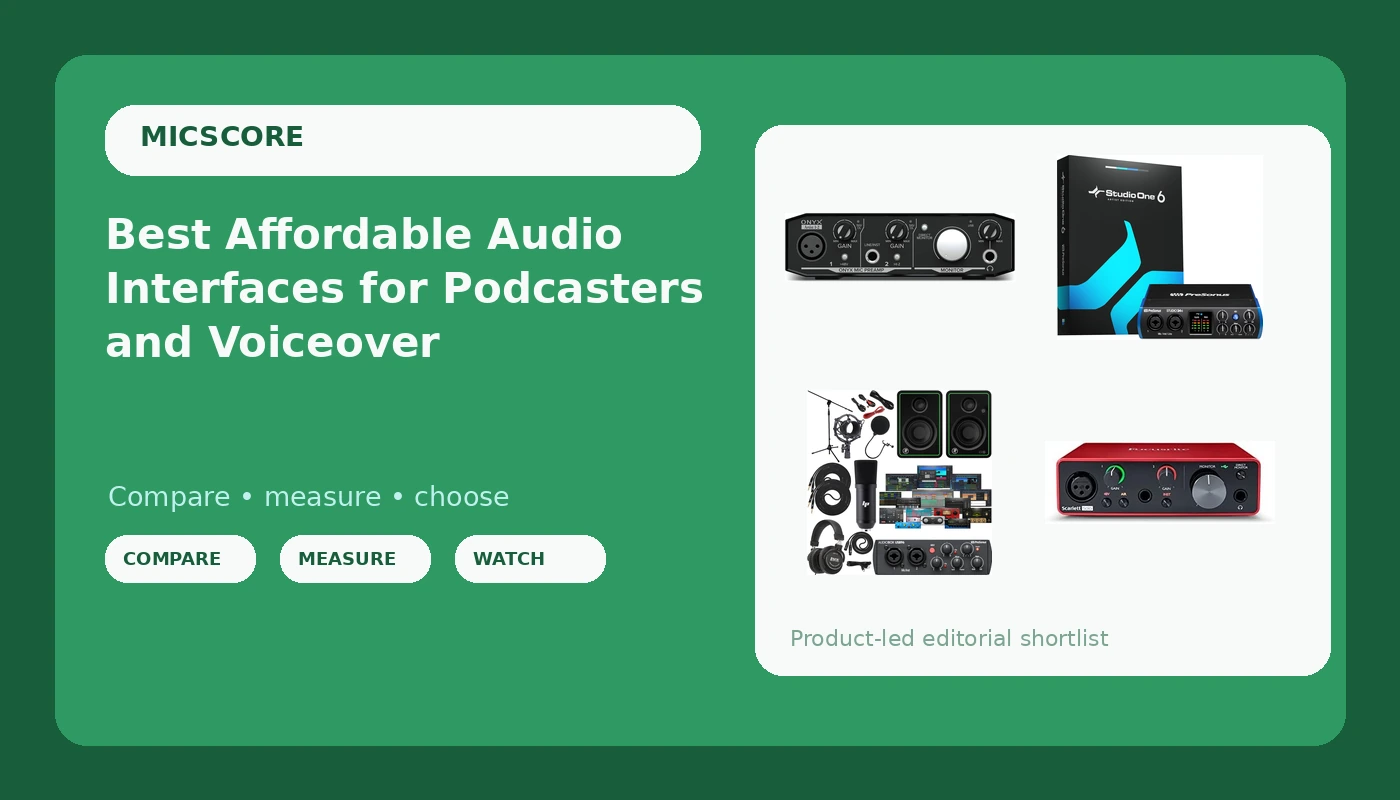
Most people who ask me about the best affordable audio interfaces are not building a studio. They are recording a podcast in a spare bedroom, or voiceover in a closet with a towel over the door, and they own one XLR microphone and a laptop with USB ports. The interface is the unglamorous box that makes that work: it supplies clean gain, a headphone output, and a balanced path from microphone to computer. What matters at this end of the market is not the biggest number on a spec sheet. It is gain that stays quiet when you turn the knob up, drivers that do not fall over mid-session, and a monitor path you can actually use while recording. Below I compare six affordable audio interfaces, two of which arrive as bundles with a microphone or monitors, on the things I would check before spending: input count, conversion as listed by the manufacturer, bundled software, and whether the box solves a problem you actually have.
Related: Best USB Microphones for Podcasters Who Record in Real Rooms
Quick answer
The Focusrite Scarlett Solo 3rd Gen USB-C Audio Interface is the strongest fit for a first interface behind one XLR microphone, because its USB-C connection and single-input layout match the one-host, one-mic setup most shows actually run. Choose Mackie Audio Interface, Onyx Artist 1X2 USB Audio Interface (Onyx Artist 1-2) instead when you want a compact one-input box built around an Onyx preamp and the simplest possible front panel.
Affordable audio interfaces worth comparing
The grid below runs from single-input boxes to two-input interfaces to complete bundles that include monitors. Read the summaries as a starting point and confirm the details on each listing, because bundle contents change more often than the interfaces themselves do.
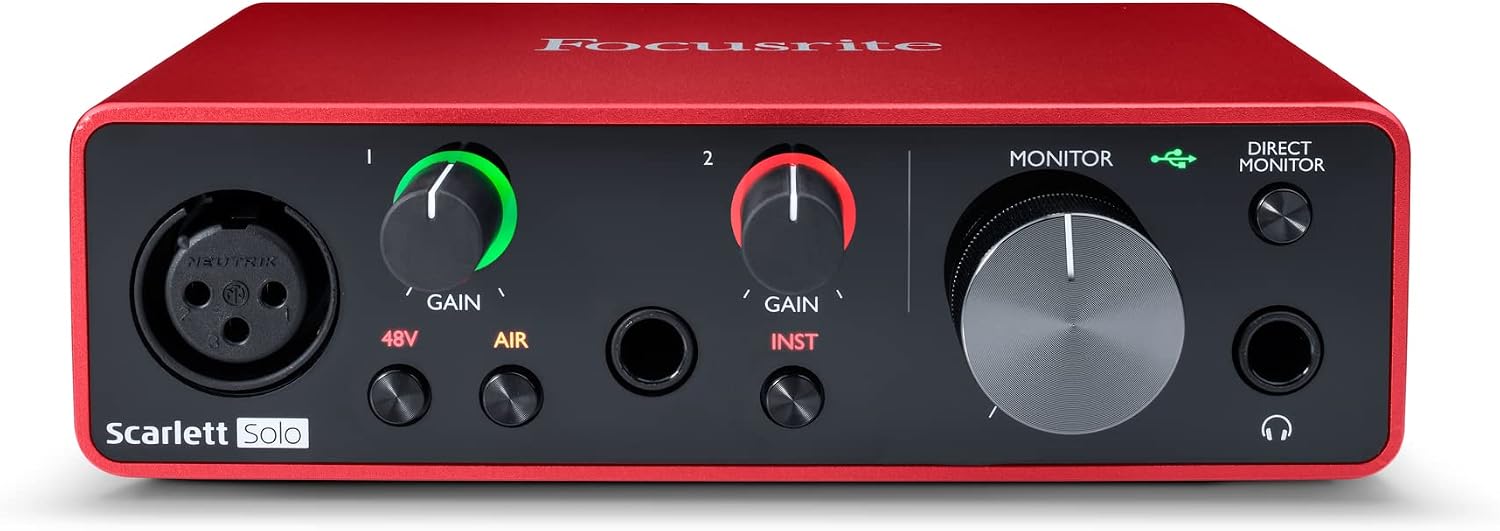
Focusrite Scarlett Solo 3rd Gen USB-C Audio Interface
A third-generation Scarlett interface with a USB-C connection and a single microphone input. The Solo layout is the right amount of box for one host behind one microphone, and the front panel stays simple enough to learn in an afternoon.
Visit on Amazon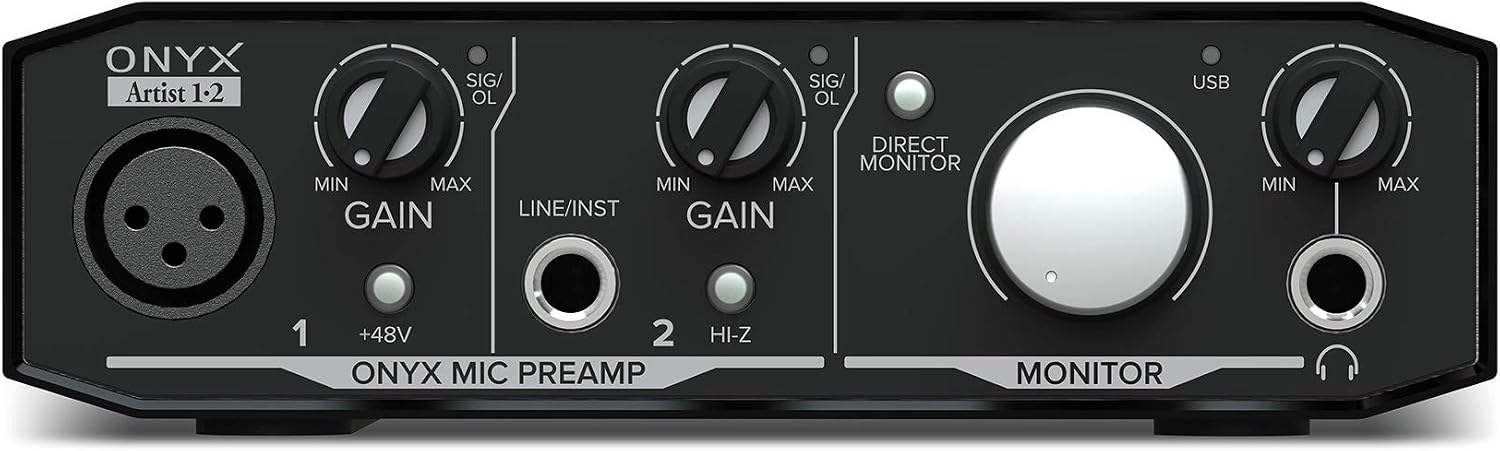
Mackie Audio Interface, Onyx Artist 1X2 USB Audio Interface (Onyx Artist 1-2)
A compact USB interface built around Mackie's Onyx preamp in a one-input, two-output format. Worth a look if you record one voice at a time and want a small desktop footprint.
Visit on Amazon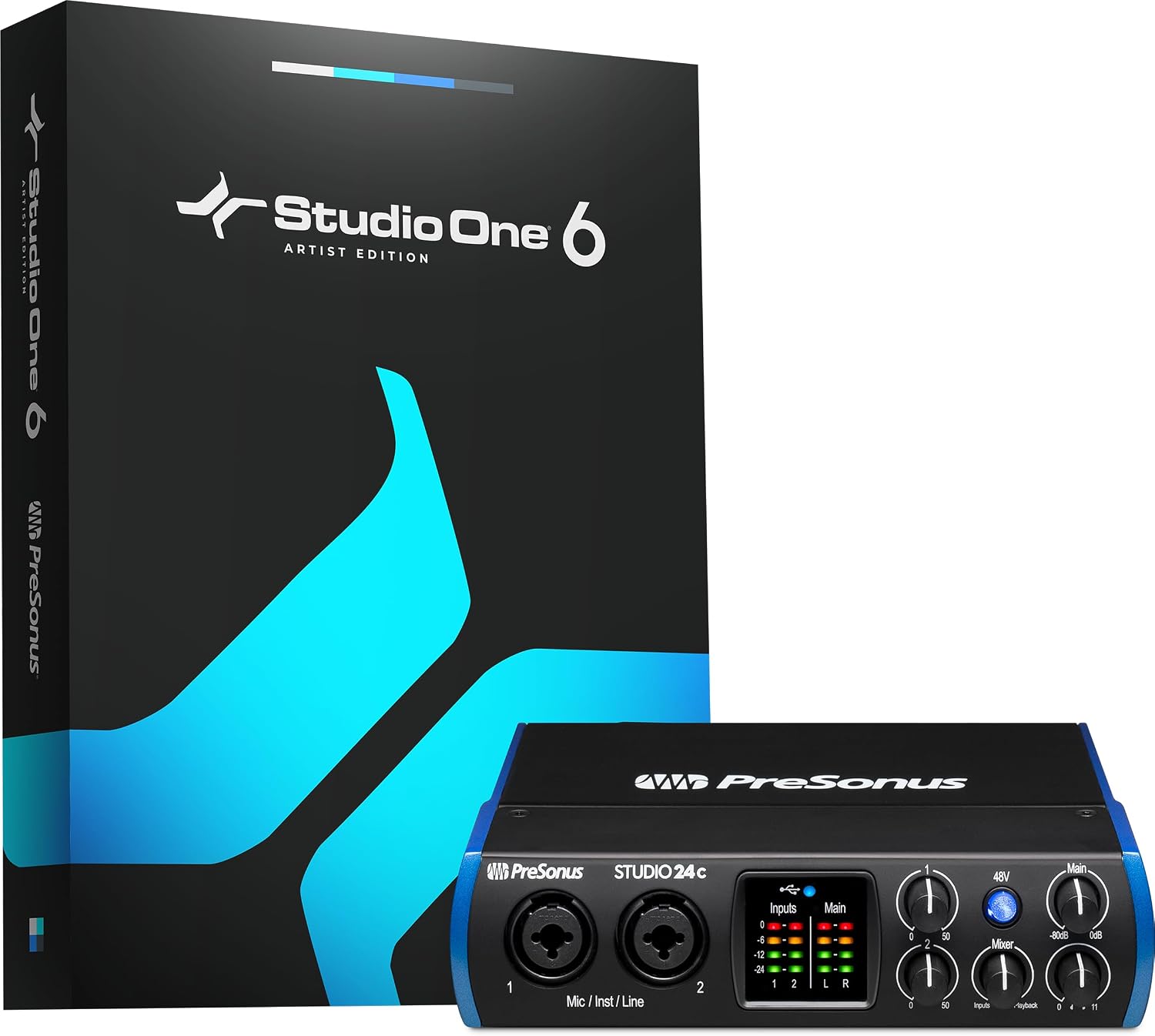
PreSonus Studio 24c 2x2, 192 kHz, USB Audio Interface with Studio One DAW Recording Software
A two-input, two-output USB interface with conversion up to 192 kHz and Studio One recording software included. The second input is the reason to pick it: a guest microphone stays connected between takes.
Visit on Amazon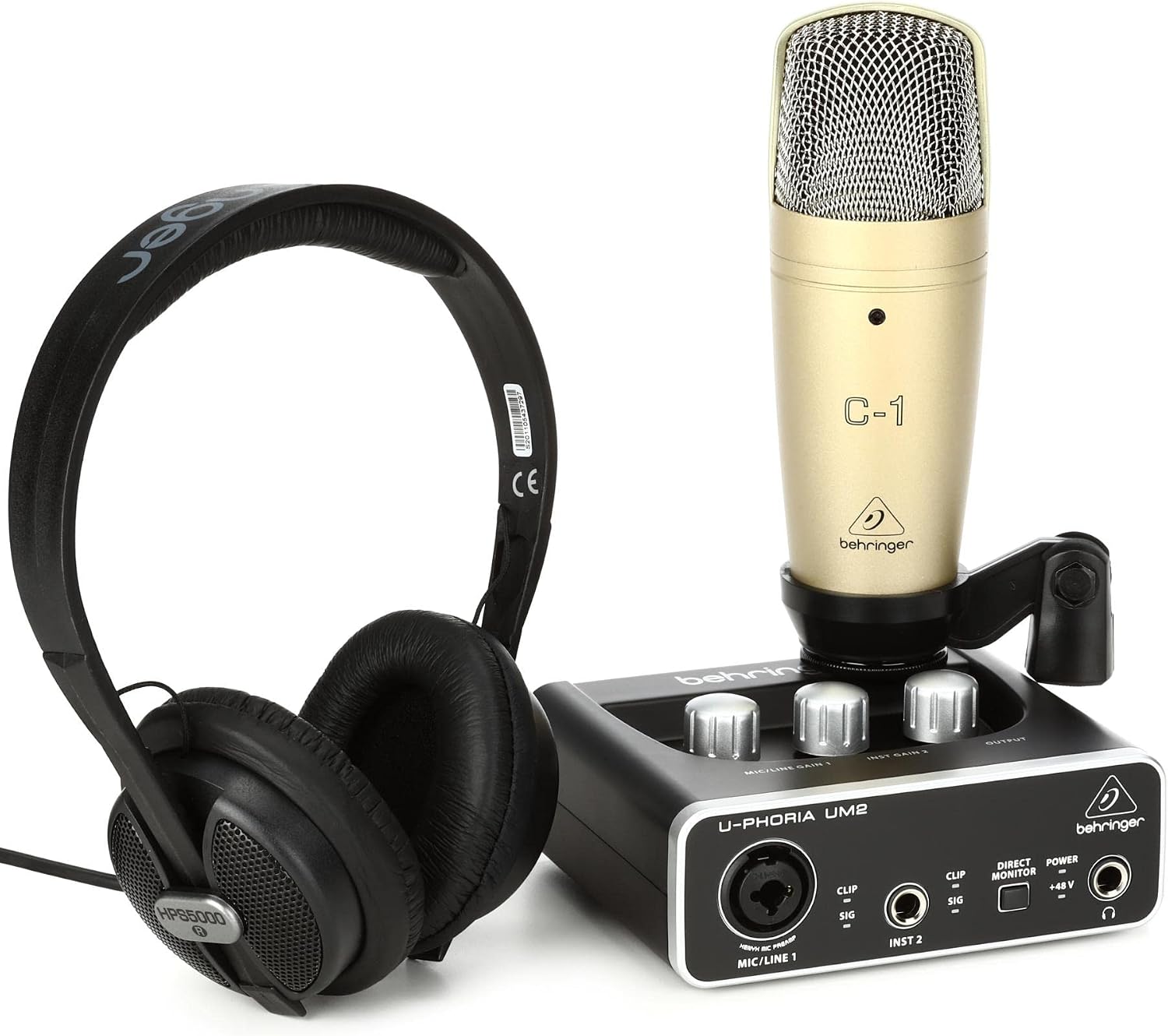
Behringer U-PHORIA STUDIO Complete Recording/Podcasting Bundle with USB Audio Interface, Condenser Microphone, Studio Headphones and More
A complete starter bundle pairing a USB audio interface with a condenser microphone, studio headphones, and the accessories to make a first recording. It makes sense when you own nothing yet and want one order to cover the whole chain.
Visit on Amazon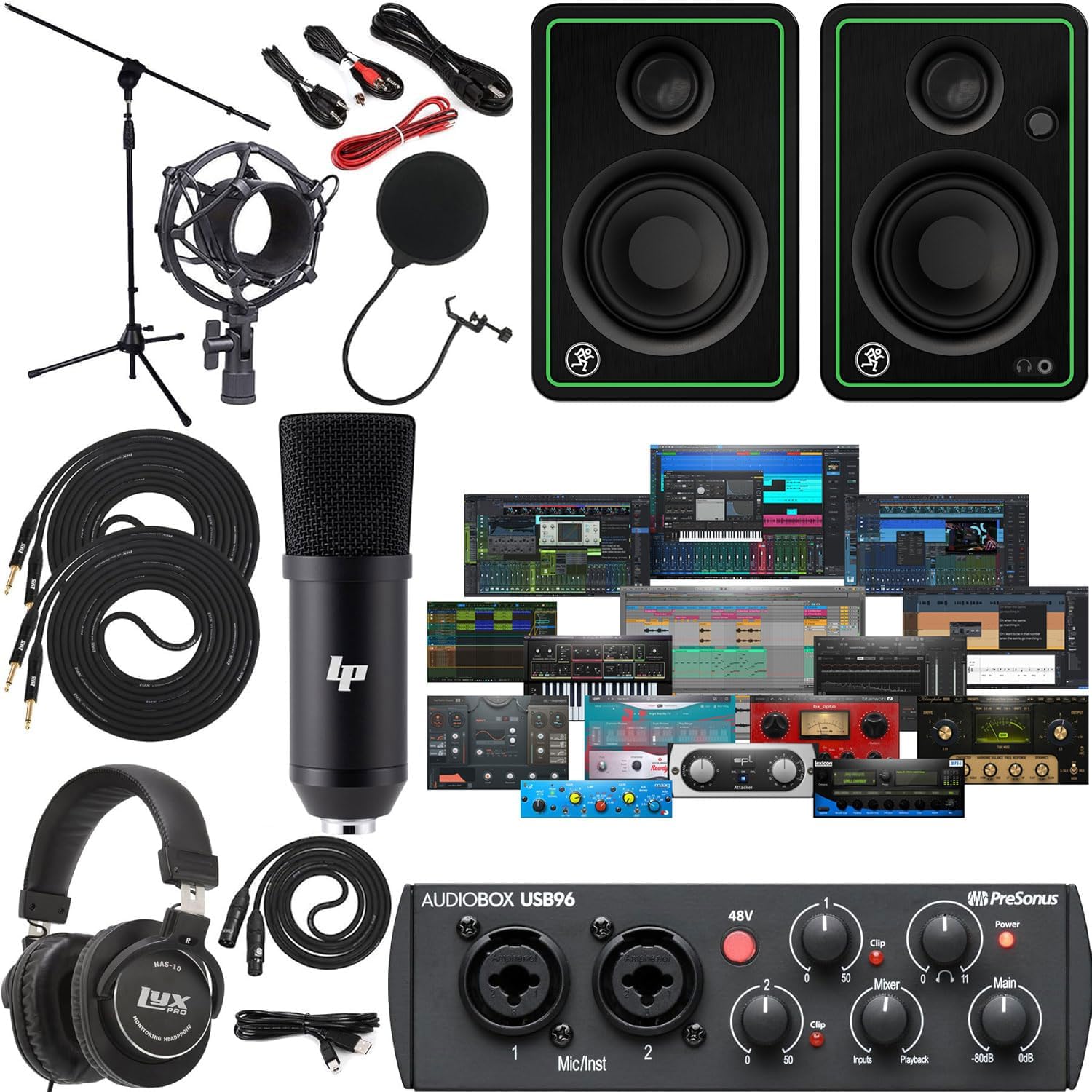
PreSonus AudioBox 96 Studio Bundle, USB-C 2-in/2-out Audio/MIDI Interface with Studio One Artist Software, Mackie CR3-XBT Monitors and Recording Accessories
A USB-C two-in, two-out audio and MIDI interface with 24-bit/96 kHz conversion, Studio One Artist, Mackie CR3-XBT Bluetooth monitors, and recording accessories. The pick here when you also need speakers to mix on.
Visit on Amazon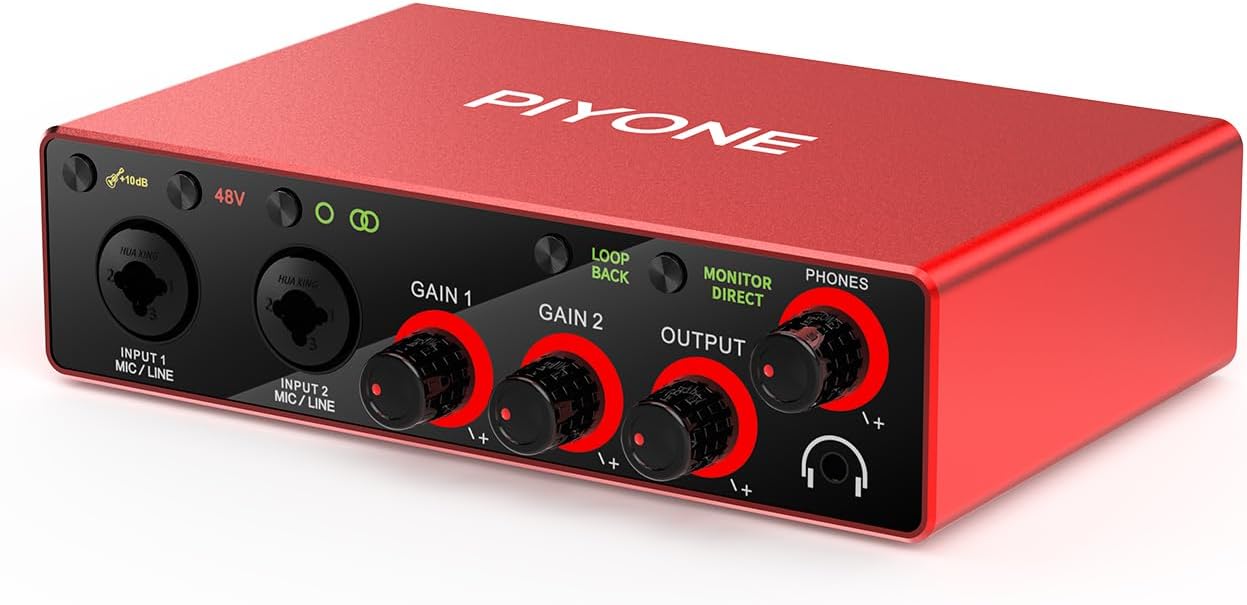
Audio Interface, 2X2 24-bit/192kHz Interface for High-Fidelity PC/Mac/iOS Recording, XLR/TRS Combo Input, Monitor Mix/Loopback Function, One-Cable Setup(Alloy Red)
A two-in, two-out interface with 24-bit/192 kHz conversion, an XLR/TRS combo input, monitor mix and loopback functions, and a one-cable hookup for PC, Mac, or iOS. Loopback is the feature to note if you record remote interviews or stream.
Visit on AmazonPrices and availability may change. Check the retailer for current details.
How these products were compared
This guide compares input and output count, conversion as listed by each manufacturer, connection type and computer support, bundled software and accessories, and what you would still have to buy to finish a recording setup. Product names, images, and retailer links are matched by product code so that every card points to the product shown.
One honest note about method: these are catalog and manufacturer specifications, not measurements I took in my own room, and I have not recorded with every unit listed. Where a claim depends on what is in the box, it comes from the product name and description rather than from an assumption about what a brand usually includes. For affordable audio interfaces the meaningful differences are smaller than the marketing implies. Two boxes in the same price bracket often share converters and driver quality. What separates them is how many microphones you can leave connected, whether phantom power is available for a condenser, and whether the software bundle saves you a purchase later.
How to choose the right audio interface
Start with a headcount, not a spec sheet. If you host alone and occasionally interview a guest over the internet, one microphone input is enough, and a single-input box such as the Scarlett Solo or the Onyx Artist 1-2 keeps the front panel simple enough that you will not second-guess it mid-session. If a second person sits across the table, you want two inputs so both microphones stay connected and gain staged between takes. The PreSonus Studio 24c, the 2X2 interface in alloy red, and the AudioBox 96 bundle all give you that second input, and the AudioBox 96 adds MIDI for anyone with a keyboard controller.
Then decide how the box talks to your computer. USB-C is now the default on newer interfaces, and the Scarlett Solo, the AudioBox 96, and both USB-C-capable units here reflect that. The 2X2 model lists support for PC, Mac, and iOS, which matters if you record on a tablet in the same room where you write. Its loopback and monitor mix functions are routing features, not tone features: loopback lets you capture the audio playing on your computer alongside your microphone, which is how people record remote interviews or live streams without a second machine. If you never do either, do not pay extra for it. If you are still deciding on the microphone first, my notes on choosing a microphone for an untreated room are the place to start, because the interface cannot rescue a bad capture.
The last decision is bundle versus separate parts. A bundle is convenient and, for a first setup, genuinely cheaper than assembling the same pieces one at a time. The catch is that you inherit whatever microphone and headphones ship in the box. If you already own a dynamic microphone you trust, buy the interface alone and put the difference into a boom arm and a pop filter, which will change your sound more than a converter upgrade will. Most of the best affordable audio interfaces here are sold on their own for exactly that reason.
Focusrite Scarlett Solo 3rd Gen USB-C Audio Interface
The Scarlett Solo is the third generation of Focusrite's smallest interface, and the name is the giveaway: a single microphone input in a USB-C box. That is the correct amount of interface for a solo host, and it is why this is the top pick. You plug in one XLR microphone, set gain once, and the rest of the session is about the performance rather than the gear. The headphone and monitor path is there for tracking and for checking room tone between takes.
The trade-off is expansion, and it is worth saying plainly. A single input means no second microphone, so a two-person show would need a different box later. If you already know a co-host is coming, buy the two-input PreSonus Studio 24c now and skip the second purchase. If you are recording alone for the foreseeable future, the Solo's simplicity is an advantage rather than a limitation, and the money you do not spend on inputs can go into acoustic treatment, which will do more for your recordings than any interface in this group.
Alternatives to consider
The PreSonus Studio 24c 2x2, 192 kHz, USB Audio Interface with Studio One DAW Recording Software is better suited to a two-person show that wants both microphones connected at once, while the Mackie Audio Interface, Onyx Artist 1X2 USB Audio Interface (Onyx Artist 1-2) is a stronger fit when you record one voice at a time and want an Onyx preamp in the smallest possible desktop footprint.
The Behringer U-PHORIA STUDIO Complete Recording/Podcasting Bundle with USB Audio Interface, Condenser Microphone, Studio Headphones and More, the PreSonus AudioBox 96 Studio Bundle with USB-C interface, Studio One Artist, Mackie CR3-XBT monitors and recording accessories, and the 2X2 24-bit/192kHz interface with XLR/TRS combo input and loopback cover the other three starting points. The Behringer bundle is for the person who owns no gear at all. The AudioBox 96 bundle is for the person who also needs speakers to mix on, which is why it costs the most here. The 2X2 alloy red unit is for the streamer or remote interviewer who will actually use loopback and monitor mix.
Day-to-day use and maintenance
Set gain by speaking at performance level rather than whispering, and leave headroom: you can raise a quiet track in the edit, but you cannot undo clipping. Turn monitors down before you enable phantom power for a condenser, and turn phantom off before you unplug a microphone. Keep the interface off the same surface as your keyboard if you can, because a desktop that vibrates is a desktop that ends up in your room tone. Label both ends of your USB cable so you are not debugging the wrong device at 11 p.m.
Register the bundled software early, since licenses and download codes are the first thing people lose. If your interface arrives with a condenser microphone and headphones, treat those as the weakest links over the long term and plan to replace the microphone before the interface. Check the manufacturer's driver and firmware notes once a season rather than once a crisis. And read the care instructions that ship with the unit: nothing in this group needs more than a dry cloth and a stable surface, but dust in a gain knob is an avoidable annoyance.
Buying checklist
- Count how many microphones must stay connected at once before anything else.
- Choose input count and connection type based on your normal week, not an occasional edge case.
- Confirm the exact model includes phantom power if your microphone needs it.
- Check whether the bundled software is a full license or a cut-down version.
- Read the setup and care instructions before your first session.
- Verify the current retailer price, availability, and return terms.
Final recommendation
Choose the Focusrite Scarlett Solo 3rd Gen USB-C Audio Interface when you record one voice behind one microphone and want a USB-C box you will not have to think about. Choose the PreSonus Studio 24c when a second microphone or a bundled DAW tips the decision, and choose the AudioBox 96 bundle when monitors are part of the same purchase. The Onyx Artist 1-2, the Behringer bundle, and the 2X2 alloy red interface each make sense for a specific setup, and none of them will fix a room that rings. Spend what is left on treatment and a decent stand, and the gear conversation gets a lot shorter.